Opening the Record
From Affiliates → All Affiliates, open the affiliate and press Edit profile, or use Edit in the row menu. The edit screen has a Basic Info tab (the form) and a Billing Profile tab. The affiliate ID is fixed and never changes — it is what every historical conversion is attributed to.
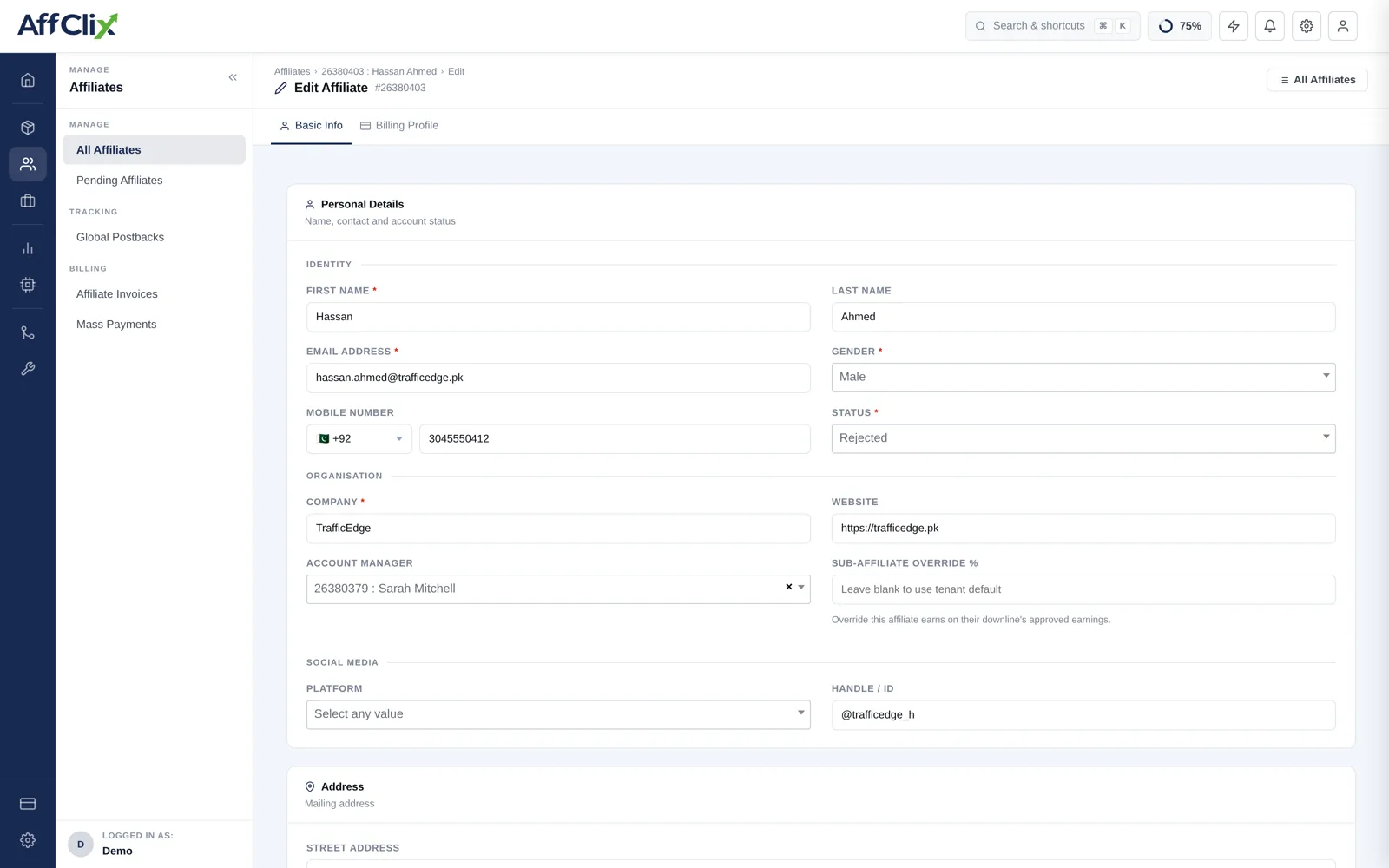
What You Can Change
| Field | Notes |
|---|---|
| First / Last Name | Safe to correct at any time. |
| Mobile | Used for urgent contact. |
| Social Profile | Optional Skype, WhatsApp, Telegram or Teams handle. |
| Login Email | The portal login. Changing it changes how they sign in. |
| Status | Active, Pending or Rejected. Takes effect on the next click. |
| Company / Website | The invoicing entity and their main property. |
| Groups | Adding a group approves them on that group's campaigns; removing it takes that access away. |
| Sub-Affiliate Override | Their share (%) of the approved earnings of affiliates they referred. Blank uses your default — see Sub-Affiliates. |
| Address | Used on invoices and payouts. Once a street address is entered, city, state, country and postcode are required. |
| Account Manager | Reassigns ownership and can change who on your team can see this affiliate. Only the account owner can reassign it, and only to an active team member. A team member editing other fields never changes the manager. |
A locked-out affiliate resets their own password with Forgot password on your sign-in page. To see their portal without it, use Login as on their profile.
What Each Change Affects
| Change | Effect |
|---|---|
| Status to Rejected | New clicks stop immediately. Existing conversions and balance are untouched. |
| Status to Active | Every Public campaign becomes available at once. |
| Email address | The login changes. Notifications and password resets follow the new address. |
| Account manager | May remove the affiliate from a colleague's visible list if their access is scoped. |
| Company name | Applies to invoices generated from now on, not to invoices already issued. |
Links are built from the affiliate ID, which never changes. Nothing on this form invalidates a link an affiliate is already running.
Changes That Need Care
Confirm the request came from the affiliate through a channel you already trust — not from an email signed with the new address. An attacker who redirects the login address controls the account and its payment details.
An affiliate with live paid traffic keeps spending after you suspend them, while their clicks are rejected. Tell them first unless you are suspending for fraud, in which case do not.
Every change here is written to the audit trail with the user who made it, which is what you will use if a payout dispute turns on when a rate or an address changed.