What Creatives Are For
Without a creative library, affiliates build their own assets. Some will be good; some will use claims the advertiser never approved, and that becomes your compliance problem. A campaign creative library solves three things at once:
- Compliance — only assets the advertiser signed off on are in circulation.
- Speed — a new affiliate can launch the same day instead of waiting on design.
- Control — deactivate a creative and it disappears from every affiliate portal.
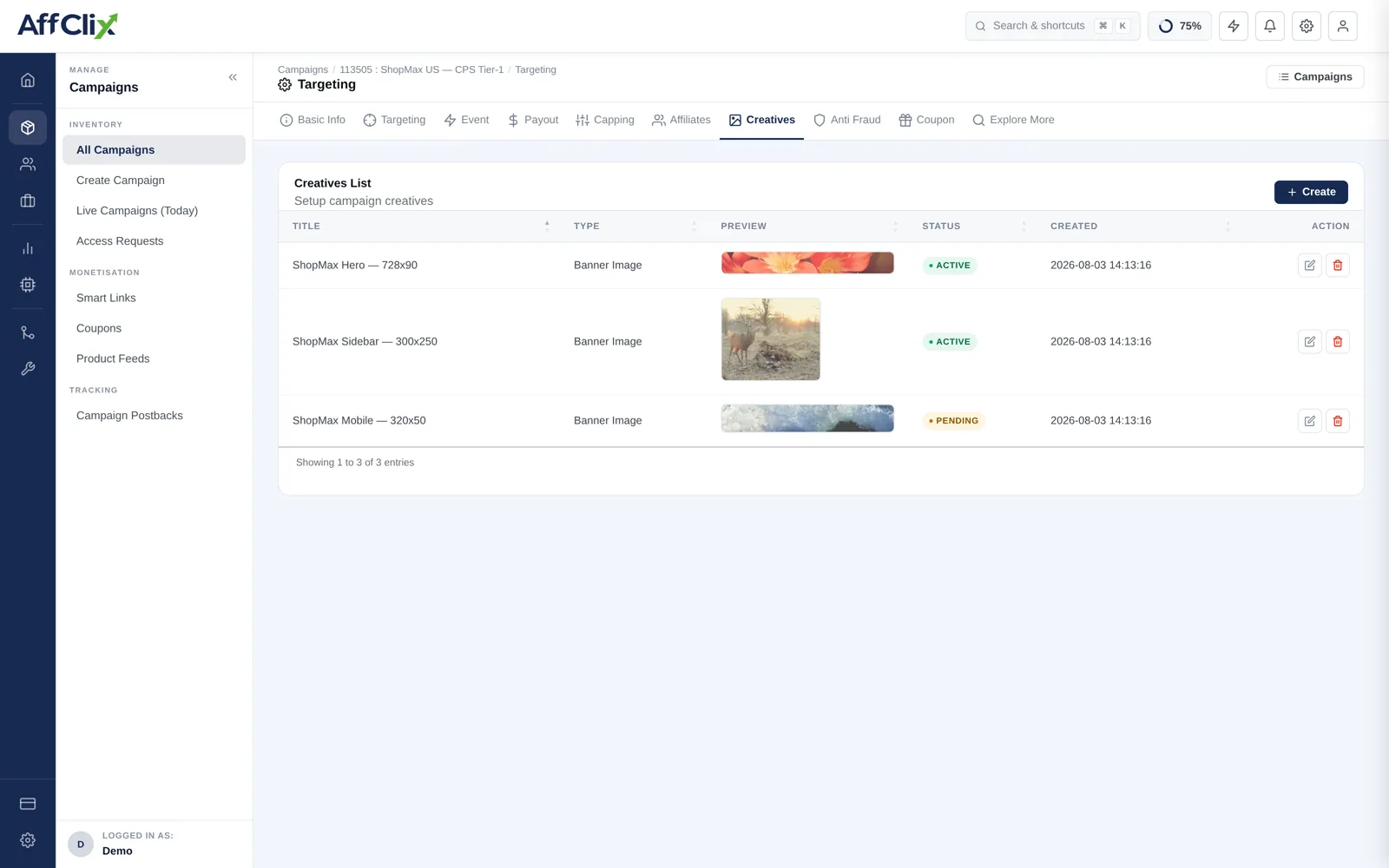
Adding a Creative
Open the campaign and select Creatives
Press Create to open the upload form.
Title the asset by what it is
Include the placement and dimensions — ShopMax Hero — 728x90. Affiliates pick from a list, and a title like banner 3 tells them nothing.
Choose the type and upload
Banner images are the common case. Upload the file or point at a hosted URL.
Save
The asset appears in the affiliate's creative library for this campaign once it is Active.
Field Reference
| Field | Description |
|---|---|
| Title | How affiliates identify the asset. Include size and placement. |
| Type | The asset format — banner image, HTML, text or email creative. |
| Preview | Thumbnail rendered in the list and in the affiliate portal. |
| Status | Active, Pending or Inactive. Only Active assets reach affiliates. |
| Created | Upload timestamp, useful when an advertiser asks which version was live on a date. |
Approval Status
| Status | Meaning |
|---|---|
| Active | Live and downloadable by any affiliate approved on the campaign. |
| Pending | Uploaded but not released — use while the advertiser is still reviewing. |
| Inactive | Withdrawn. Disappears from affiliate portals immediately. |
An affiliate who downloaded a banner last week still has the file on their ad network. When an advertiser withdraws a claim, deactivate the creative and tell the affiliates running it.
Creative-Level Tracking
To find out which creative actually produces conversions, pass the {creativeid} token in the tracking URL. It is one of the parameters available in the tracking URL builder on the Affiliates tab, and it surfaces as a column in the Clicks Report.
https://track.yournetwork.com/click?campaign_id=113505&affiliate_id=204&creativeid=hero_728x90Without it, every creative on a campaign reports as one undifferentiated block and you cannot tell the winner from the one dragging the average down.