Overview
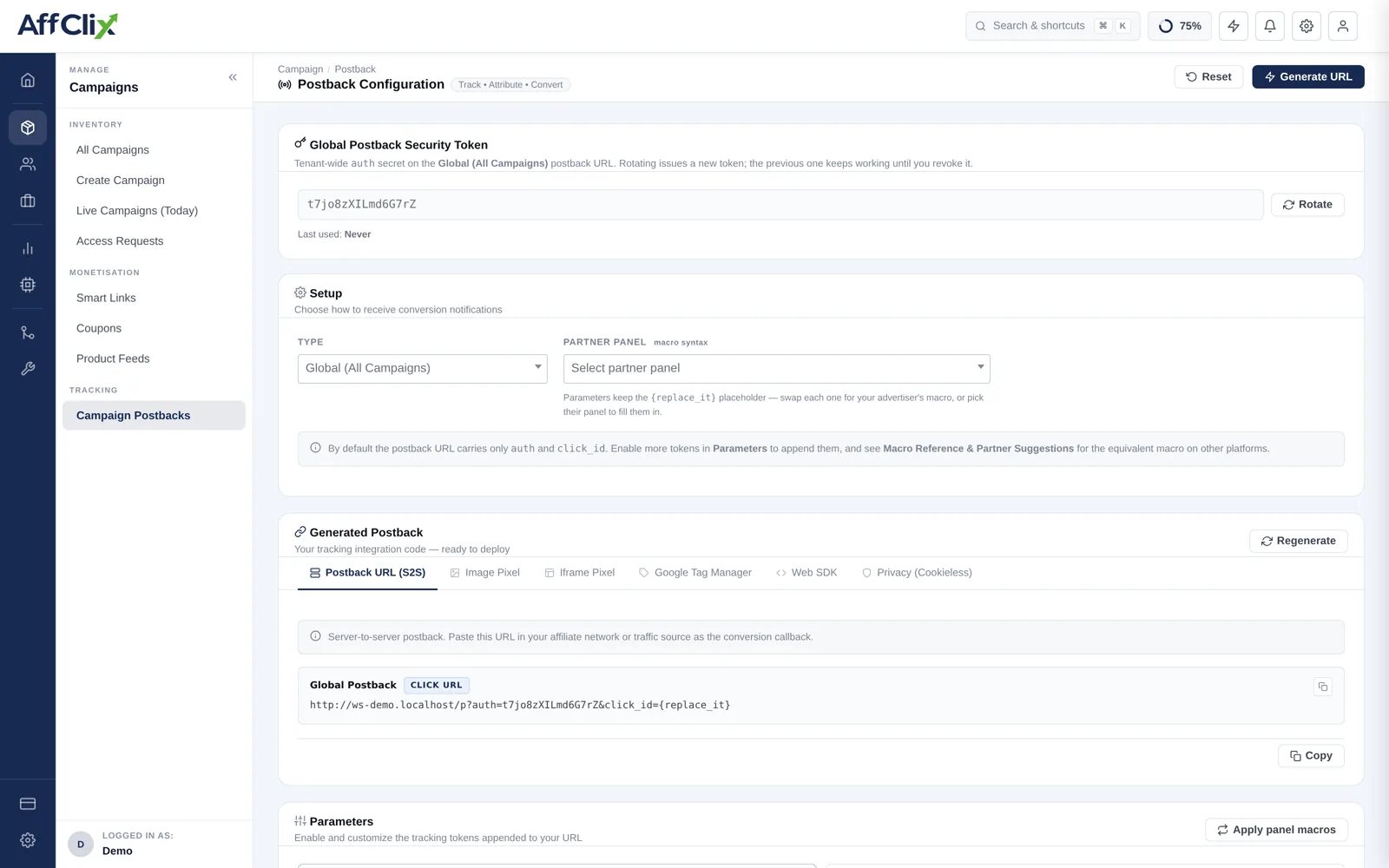
Configuring postbacks is error-prone: a wrong macro, a missing IP whitelist entry, or a misconfigured postback URL can cause conversions to disappear silently. The Postback Tester eliminates guesswork by simulating an entire conversion event — from the initial click through to the postback delivery — in a controlled, safe environment.
When you run a Postback Test, AffClix:
- Simulates a click on the tracking URL under the specified geo/device conditions
- Records a synthetic conversion event against that click (does not affect real stats)
- Fires the postback URL configured on the campaign or advertiser
- Reports the full redirect chain AND the postback delivery status in the trace panel
Postback tests use a synthetic click_id prefixed with test_ and are automatically excluded from all revenue, payout, and conversion reports. You will see them in the dedicated Test Logs section but nowhere else.
Postback Tester vs. Link Tester
Both tools trace redirect chains, but they serve different purposes:
| Feature | Link Tester | Postback Tester |
|---|---|---|
| Traces redirect chain | ||
| Records a simulated conversion | ||
| Fires and verifies postback URL | ||
| Reports postback HTTP response code | ||
| Debug Mode (headers, TTFB, body) | ||
| Credits per test | 1 (standard) / 2 (debug) | 2 (standard) / 3 (debug) |
| Best used for | Verifying redirect chain & geo targeting | Verifying full conversion & postback delivery |
Use the Link Tester when setting up a new campaign's tracking URL. Use the Postback Tester when configuring conversion postbacks on a new campaign or advertiser, or when troubleshooting missing conversions.
Form Fields
The Postback Tester form is nearly identical to the Link Tester — with one addition: the Event selector.
| Field | Description | Required |
|---|---|---|
| Tracking Click URL | The affiliate tracking URL (same as used for Link Tester). AffClix will fire a simulated click on this URL first, then trigger a conversion against the resulting click_id. | Yes |
| Event | Select which conversion event to simulate. Defaults to the campaign's primary event. For multi-event campaigns, select the specific event (e.g. Install, Purchase, Registration) to verify its postback. | Yes |
| Country | Simulate the originating click from a specific country. | Optional |
| Device Type | Sets the User-Agent for the simulated click. | Optional |
| Browser | Narrows the User-Agent browser component. | Optional |
| Debug Mode | Enables TTFB timing, full headers, and response body for every hop including the postback hop. | Optional |
Reading the Trace Results
The results panel is split into two blocks: the Click Redirect Trace (same as Link Tester) and the Postback Delivery section.
Click Redirect Trace
Identical to the Link Tester hop-by-hop display. Look for a 200 OK at the final destination to confirm the redirect chain is intact.
Postback Delivery
This section shows whether the postback URL was called and what response it returned:
| postback_status Value | Meaning |
|---|---|
| delivered | Postback URL was called and returned HTTP 200. The advertiser or MMP acknowledged the conversion. |
| sent | Postback URL was called but returned a non-200 status. Delivery unconfirmed — check the advertiser server logs. |
| queued | Postback has been scheduled but not yet fired. This is a transient state; refresh after a few seconds. |
| failed | Postback call failed (connection refused, timeout, or DNS error). See Common Errors below. |
| not_sent | No postback URL is configured for this campaign or event. Add a postback URL on the Campaign → Postbacks tab. |
| skipped | Postback was intentionally not fired — e.g. the conversion was flagged as fraud and the campaign's fraud settings suppress postbacks for flagged conversions. |
A healthy postback test shows: all redirect hops with 200 or 30x status codes, a final destination 200, and postback_status = delivered (or sent if the advertiser's server does not return 200 but the URL was reached).
Platform Postback IP Whitelist
All outbound postbacks — conversions sent from your platform to advertisers, MMPs, and affiliate networks — originate from the following static IP addresses. The receiving server must whitelist these IPs or it will reject the postback with a 403.
104.198.243.30These IPs never change. Save this page or copy the list into your advertiser onboarding template.
Who needs to whitelist these IPs?
| Partner type | When to whitelist | Where to add |
|---|---|---|
| Advertiser | Always — their server receives every conversion postback you fire | Their tracking platform or server firewall / Nginx allow list |
| MMP (AppsFlyer, Adjust, etc.) | When using S2S attribution postbacks | MMP dashboard → Partner IP whitelist or Postback Allowlist |
| Affiliate network | When sending upstream postbacks to a parent network | Their network admin panel → Allowed postback IPs |
Network operators can always find the current postback IPs at: Settings → Platform Settings → Tracking → Platform Postback IPs. The list includes a one-click copy button for sharing with partners.
Common Errors
| Error | Likely Cause | Fix |
|---|---|---|
| postback_status: not_sent | No postback URL is configured on the campaign or advertiser. | Add a postback URL on Campaign → Postbacks or Advertiser → Postback Settings. |
| postback_status: failed (timeout) | The advertiser or MMP server is slow to respond or the URL is unreachable from AffClix servers. | Verify the postback URL is publicly accessible. Check for firewall rules blocking AffClix server IPs. Retry during off-peak hours to rule out temporary server load. |
| postback_status: failed (403) | The advertiser's server is rejecting requests from the AffClix IP because our IP is not on their whitelist. | Add the platform outbound IPs to the advertiser's postback IP whitelist. See the IP Whitelist section above for the current IP list. |
| postback_status: sent (non-200) | The URL was reached but the server returned an unexpected status (e.g. 404 — wrong click_id macro, or 500 — server error). | Check the postback URL macro syntax. Ensure {click_id} is correctly placed and matches what the advertiser expects (some use {tID} or {transaction_id}). |
| postback_status: skipped | Fraud settings are configured to suppress postbacks for flagged/blocked clicks and the test click was scored as fraudulent. | In the Campaign → Security tab, review the postback suppression setting. For testing, temporarily lower thresholds or use an IP that passes fraud checks. |
| Wrong click_id macro | The postback URL uses a macro that does not match the click_id parameter name expected by AffClix. | AffClix expects the click_id macro in the form {click_id}. Verify the postback URL in Campaign → Postbacks matches: https://[your-domain]/pb?click_id={click_id} |
Standard AffClix postback URL your advertisers should send to:
https://track.yourdomain.com/pb?click_id={click_id}&event={event_id}&payout={payout}