What an Advertiser Is
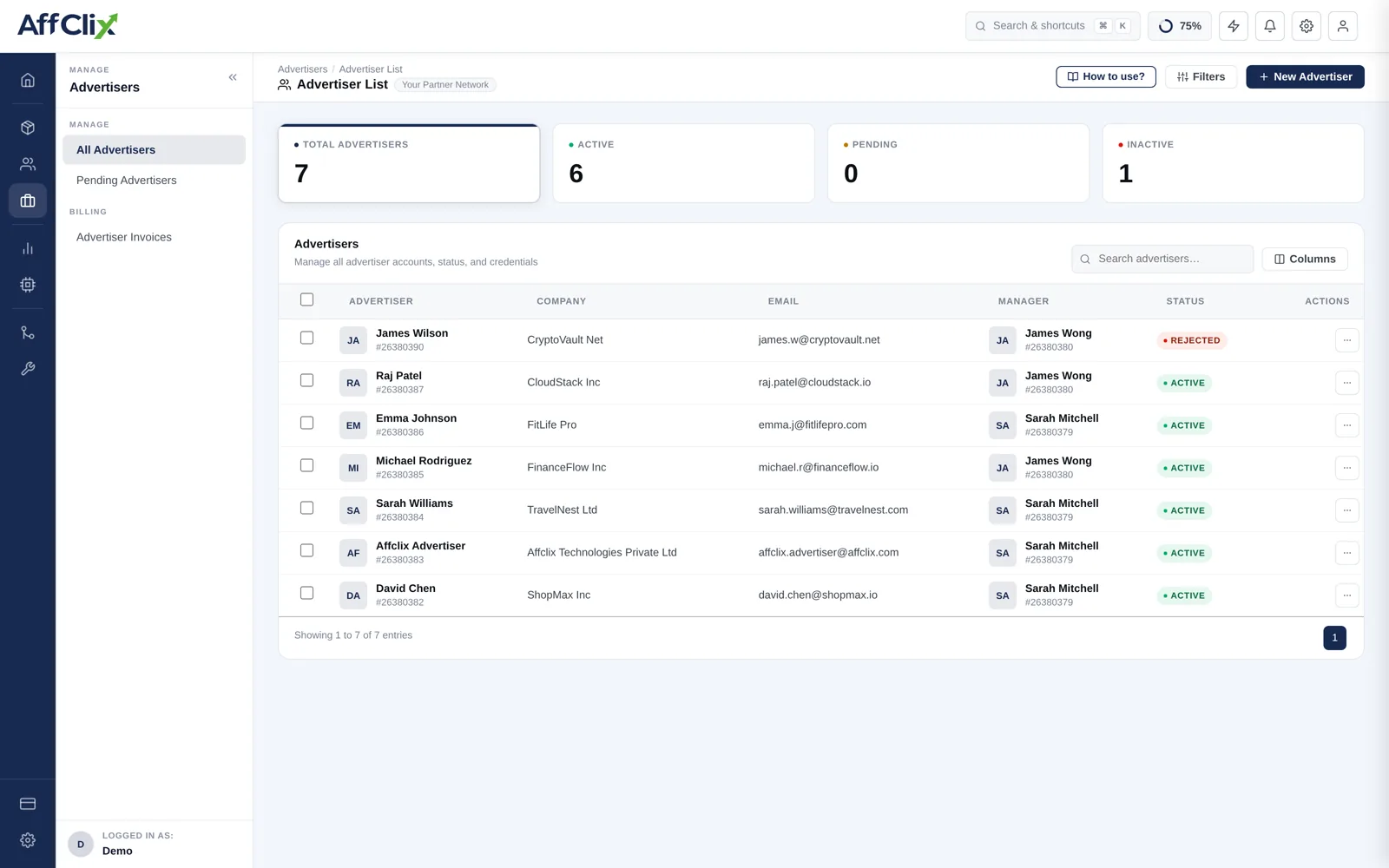
The record does four jobs:
- Ownership. Campaigns hang off an advertiser, which is how revenue is grouped.
- Billing. Invoices are raised against the advertiser's company details.
- Portal access. Optional login so the client can watch their own campaigns.
- Postback security. An IP whitelist controlling which servers may report conversions.
Why They Come First
The advertiser field on a campaign is required. If you try to create a campaign before any advertiser exists, the dropdown will be empty and you cannot save. The order is always:
Create the advertiser
Company, contact and — if their servers will fire postbacks — their IP whitelist.
Create the campaign against them
See Create a Campaign.
Give them the postback URL
Generated on the campaign's Event tab — see Postback Setup.
Approve affiliates and open traffic
Common Tasks
| Task | Article |
|---|---|
| Add a new client | Create an Advertiser |
| Search, filter and review accounts | Manage Advertisers |
| Change contact details or status | Update an Advertiser |
| Migrate a client list from another platform | Bulk Import Advertisers |
| Give the client their own login | The Advertiser Portal |
Postback Security
The advertiser record carries a whitelist IP addresses field. When populated, only the listed IPs may fire conversion postbacks for that advertiser's campaigns. Left blank, postbacks are accepted from any address.
A postback URL that accepts conversions from anywhere can be replayed by anyone who has seen it — and it travels through the advertiser's systems, their logs and often a shared inbox. Ask for their server IPs and put them here before the campaign goes live.
Get the IPs in writing during technical onboarding, and ask them to tell you before they migrate infrastructure. A silently changed egress IP looks exactly like an advertiser who stopped sending conversions.
Getting Paid
Revenue accrues per conversion at the rate on the campaign or the matching payout rule. Advertiser invoices are generated from that accrued revenue for a chosen period.
Two things to settle before the first invoice, not after:
- Which conversion statuses are billable. Usually approved only — pending conversions may still be rejected.
- Whose numbers win in a dispute. Agree a tolerance and a reconciliation method up front. This is what the External Campaign ID field is for.