What This Tab Owns
Open a campaign and Basic Info is the first tab. It is the same form used at creation, with every field editable except the campaign vertical.
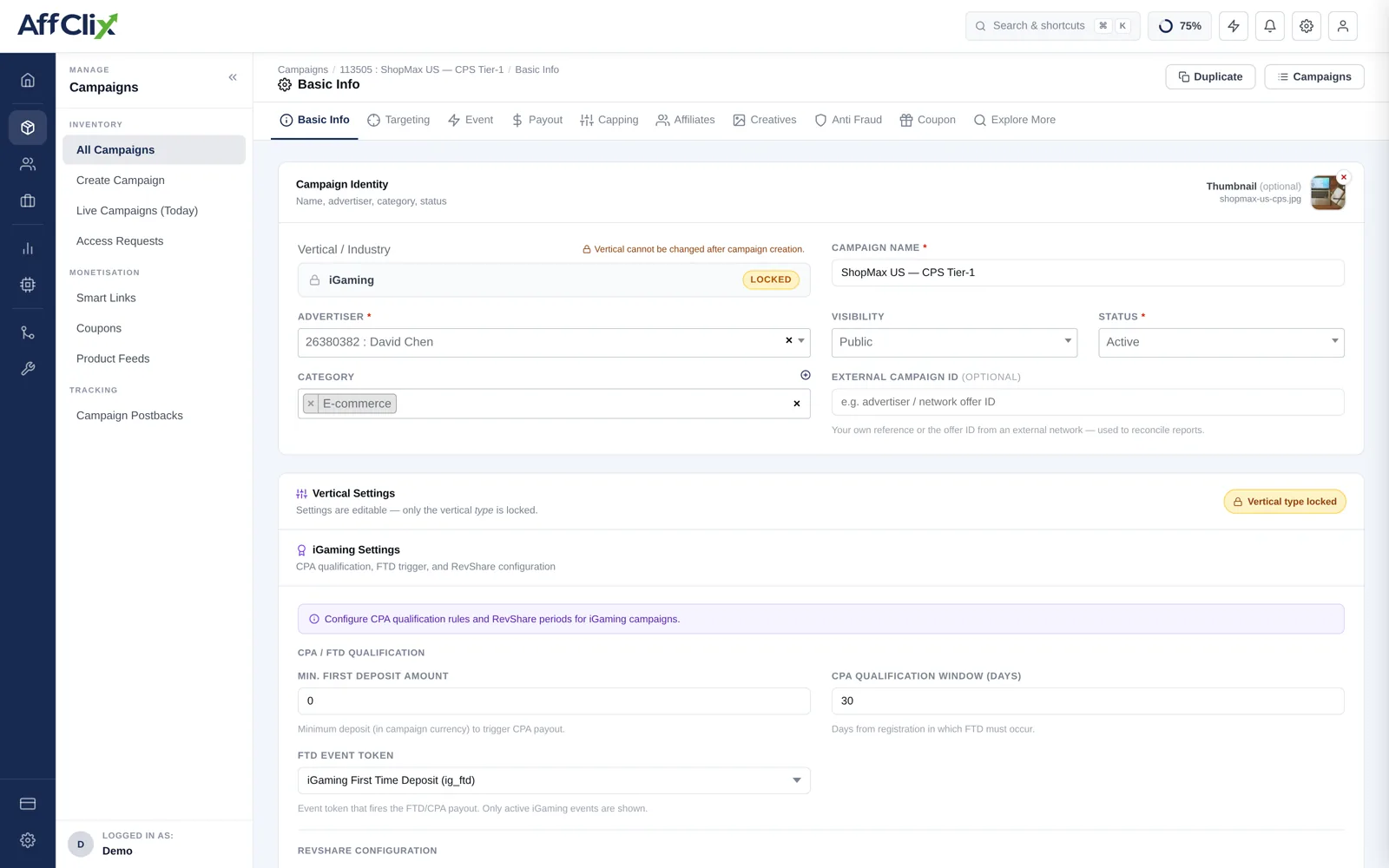
Start with Create a Campaign, which walks the flow in order. This article is the field-by-field reference you come back to.
Campaign Identity
| Field | Description |
|---|---|
| Campaign Type / Industry | Vertical rule set — Standard, iGaming, Crypto / DeFi, Forex / CFD, Lead Generation. Locked after creation. |
| Campaign Name | Shown to affiliates in the campaign browser and on every report row. |
| Advertiser | The account that pays for conversions. Drives advertiser-side reporting and invoicing. |
| Visibility | Public, Public + Require Approval, or Private. |
| Status | Active, Pending or Ended. |
| Category | Optional grouping used for browsing and report filters. |
| External Campaign ID | The advertiser's own offer reference, used to reconcile their numbers with yours. |
| Thumbnail | JPG, PNG or WEBP up to 2 MB. |
Campaign URLs
| Field | Description |
|---|---|
| Preview URL | Untracked link so affiliates can inspect the offer page before promoting it. |
| Campaign URL | The live destination, with tracking tokens. Must contain {click_id}. |
| Landing Pages | Optional. Split traffic across several destinations by weight — see Landing Pages. |
URL Builder appends the right parameters for a chosen advertiser platform automatically. All Macros opens the complete token list — see the Macro Reference.
Pricing and Schedule
| Field | Description |
|---|---|
| Currency | Currency for both revenue and payout on this campaign. |
| Payment Model / Objective | CPA, CPL, CPI, CPS, CPC, RevShare and others — see Payment Models. |
| Revenue | What the advertiser pays per conversion. |
| Payout | What the affiliate earns per conversion. |
| Start / End date and time | Entered in UTC. Outside the window, clicks are rejected. |
| Timezone | The day boundary used for scheduling and daily caps. |
| Enable Deep Link | Allows affiliates to pass a destination path for product-level landing. |
| Enable Time Targeting | Dayparting — restrict delivery to chosen hours and days. |
Keep payout at or below revenue. Both are visible side by side on the campaign list precisely so an inverted campaign is easy to spot before it costs you money.
Campaign Content
| Field | Visible to | Use it for |
|---|---|---|
| Description | Affiliates | What the offer is and what counts as a conversion. |
| Private Note | Your team | Contract terms, contacts, rate history. |
| Campaign KPI / Terms | Affiliates | Quality bar, allowed traffic sources, prohibited methods. |
Editing a Live Campaign
Changes apply to new traffic from the moment you save. They do not retroactively re-price conversions already recorded.
| Change | Effect |
|---|---|
| Revenue or payout | Applies to conversions recorded after the save. Historic rows keep the rate they were booked at. |
| Campaign URL | Takes effect on the next click. Existing tracking links keep working — they point at AffClix, not the advertiser. |
| Status to Ended | New clicks are rejected. Configure Fallback so they are redirected rather than wasted. |
| Visibility to Private | Already-approved affiliates keep access; the campaign stops appearing to everyone else. |
| Campaign Type | Not editable. Create a replacement campaign instead. |
Tell affiliates before you save. A payout that drops without warning is the fastest way to lose a good traffic partner, and the change is visible to them immediately in their portal.