What This Log Is For
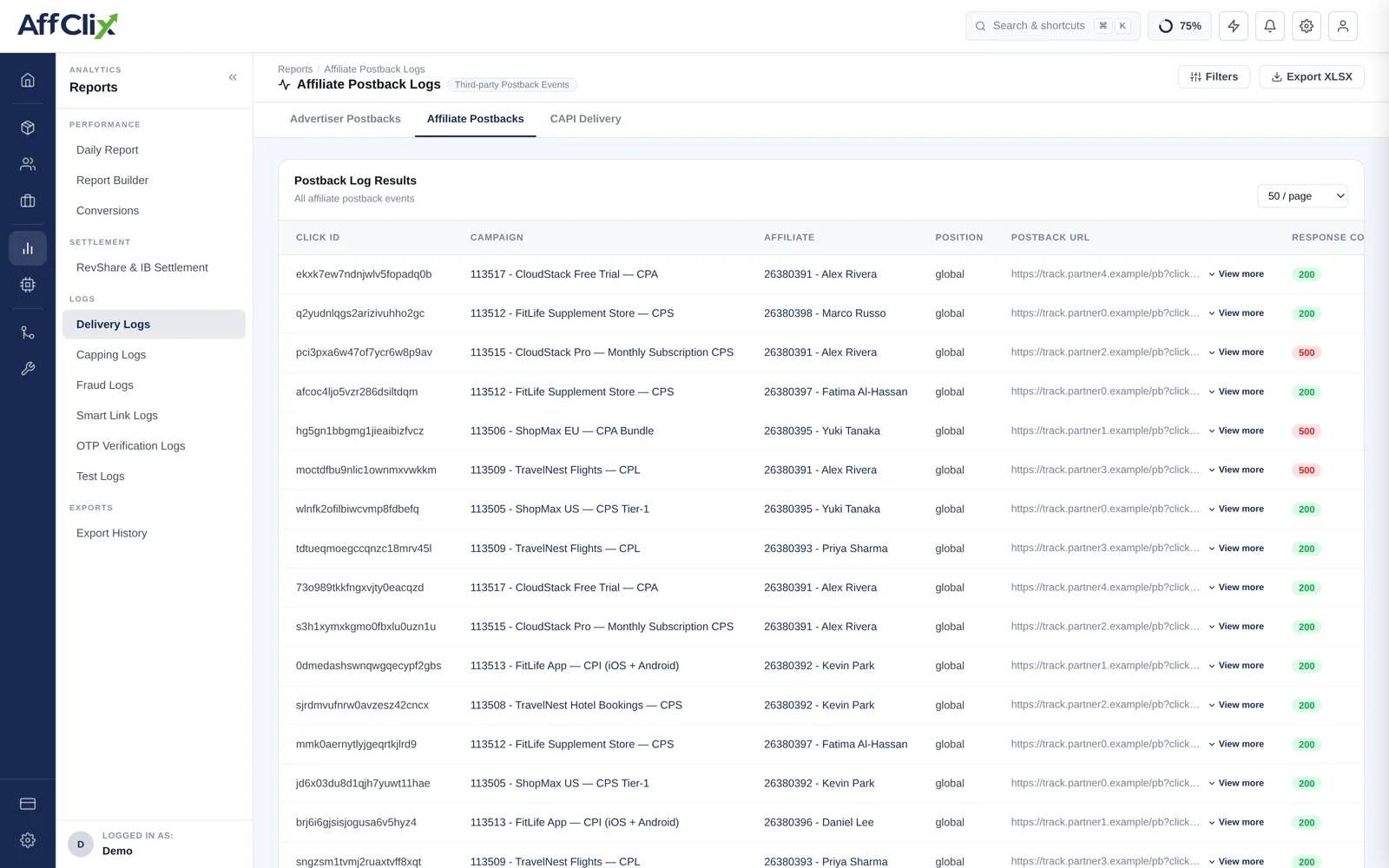
Find it under Reports → Delivery Logs, on the Affiliate Postbacks tab. See Delivery Logs for how the three tabs fit together.
Affiliates run their own tracking. When a conversion is recorded, AffClix calls the postback URL they configured so their platform learns about it too. This log records every one of those outbound calls.
Direction Matters
Two postback logs exist and they point opposite ways. Mixing them up wastes a lot of time:
| Log | Direction | Question it answers |
|---|---|---|
| Advertiser Postback Log | Inbound — advertiser to you | Did the advertiser tell us about this conversion? |
| Affiliate Postback Log | Outbound — you to affiliate | Did we tell the affiliate about it, and did their server accept it? |
If the affiliate never configured a postback URL, there is nothing to call and no row here. That is normal — they will still see the conversion in their portal and be paid for it.
Column Reference
| Column | Meaning |
|---|---|
| Click ID | The click the conversion belongs to. |
| Campaign | Which campaign the conversion was on. |
| Affiliate | Who the postback was sent to. |
| Postback URL | The exact URL called, with all macros substituted. |
| Response | The HTTP status and body their server returned. |
| Position | Which configured postback fired, when an affiliate has more than one. |
Reading Failures
| Response | Meaning | Whose problem |
|---|---|---|
200 | Their server accepted it. | Nobody. Delivered. |
404 | The endpoint does not exist. | Affiliate — their postback URL is wrong or stale. |
403 / 401 | Rejected on authentication or IP. | Affiliate — they need to whitelist your servers. |
500 | Their server errored. | Affiliate — transient or a bug on their side. |
| Timeout | No response in time. | Affiliate — usually a slow or overloaded endpoint. |
200 with an error body | Accepted at HTTP level, rejected by their application. | Affiliate — read the body; it usually names the missing parameter. |
Many platforms return 200 regardless and put the real outcome in the body. If a partner insists conversions are missing while every row here shows 200, read the response bodies before escalating.
Answering Affiliate Questions
"Your postbacks are not reaching us." Work through this, in order:
Filter this log to that affiliate and period
No rows means no postback was configured, or no conversions were recorded to send.
Check the response codes
Anything other than a clean 200 is on their side, and the code tells them what to fix.
Send them the exact URL from the log
They can replay it against their own endpoint and see the failure themselves.
Confirm their macros are right
A postback missing
{aff_click_id}will fire successfully and still be unmatchable on their side. See the macro reference.