The Form
Go to Advertisers → Create New.
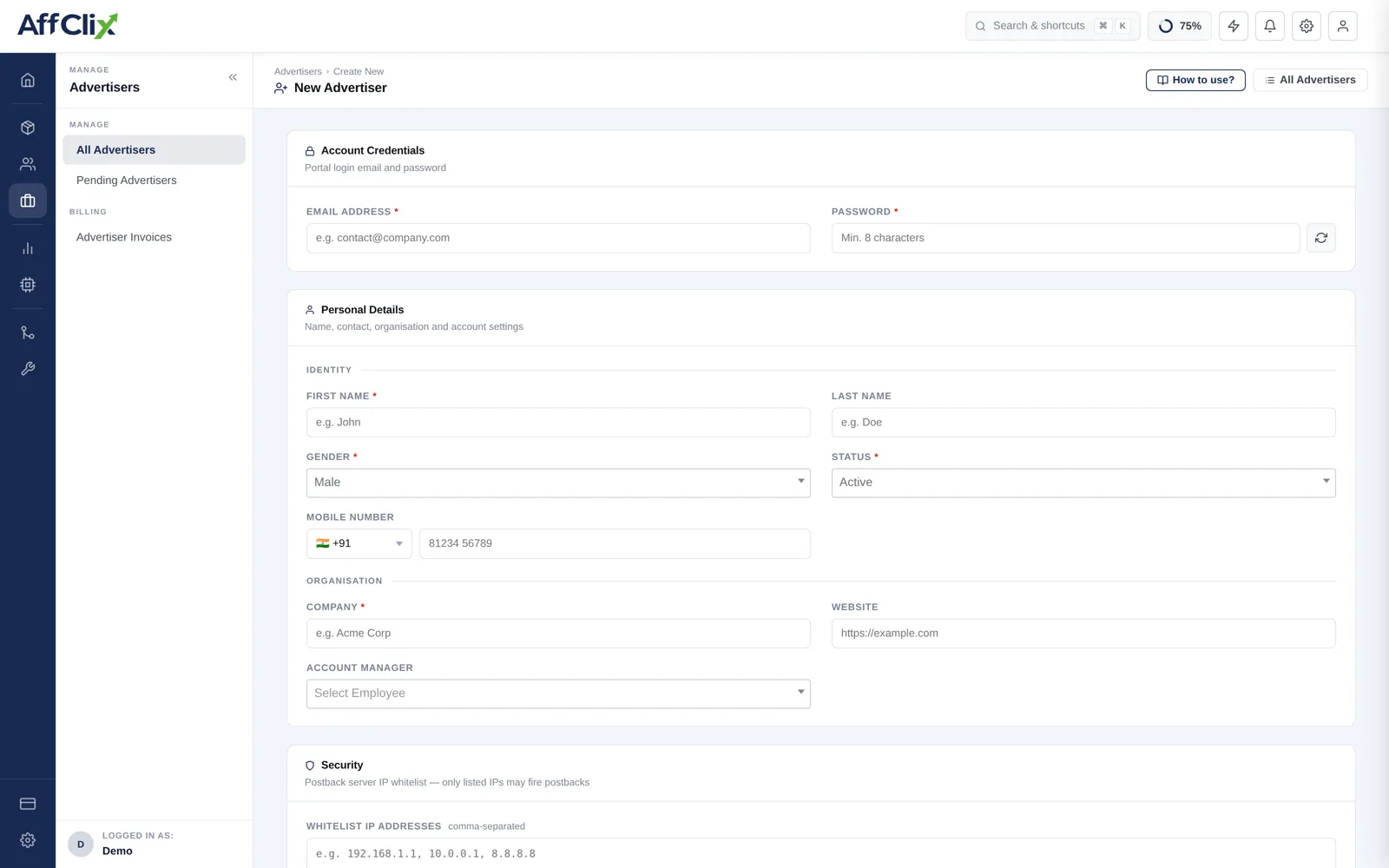
Account Credentials
| Field | Notes |
|---|---|
| Email Address | Login for the advertiser portal, and where notifications go. Unique per network. |
| Password | Initial portal password. Deliver it separately from the address itself. |
An advertiser who can see live numbers themselves sends far fewer "how did yesterday go" emails, and discrepancies surface while they are still small. See the Advertiser Portal.
Personal and Organisation
| Field | Notes |
|---|---|
| First / Last Name | Your day-to-day contact at the client. |
| Gender | Optional profile field. |
| Status | Active, Pending or Rejected. |
| Mobile Number | With country code. |
| Company | The legal entity you invoice. Use the registered name, not the trading brand. |
| Website | Their main property. |
| Account Manager | Which of your team owns the relationship. |
Postback IP Whitelist
The Security block takes a comma-separated list of IP addresses. Only those addresses may fire conversion postbacks for this advertiser's campaigns. Leave it blank and postbacks are accepted from anywhere.
203.0.113.10, 203.0.113.11, 198.51.100.42A postback URL with no IP restriction will pay out for any request that reaches it. Ask the advertiser for their outbound server IPs during technical onboarding — they will have them, and the question signals that you take conversion integrity seriously.
Check this field first. An advertiser who moved hosting or added a region will be firing postbacks from an address that is not on the list, and the rejection is silent from their side.
What to Do Next
Create their first campaign
See Create a Campaign.
Generate and send the postback URL
Built on the campaign's Event tab — see Postback Setup.
Fire a test conversion end to end
Confirm it lands in the Conversion Report before opening traffic.
Technical Onboarding
Get these answers before the first click. Every one of them causes a launch delay if left until later.