The Advertiser List
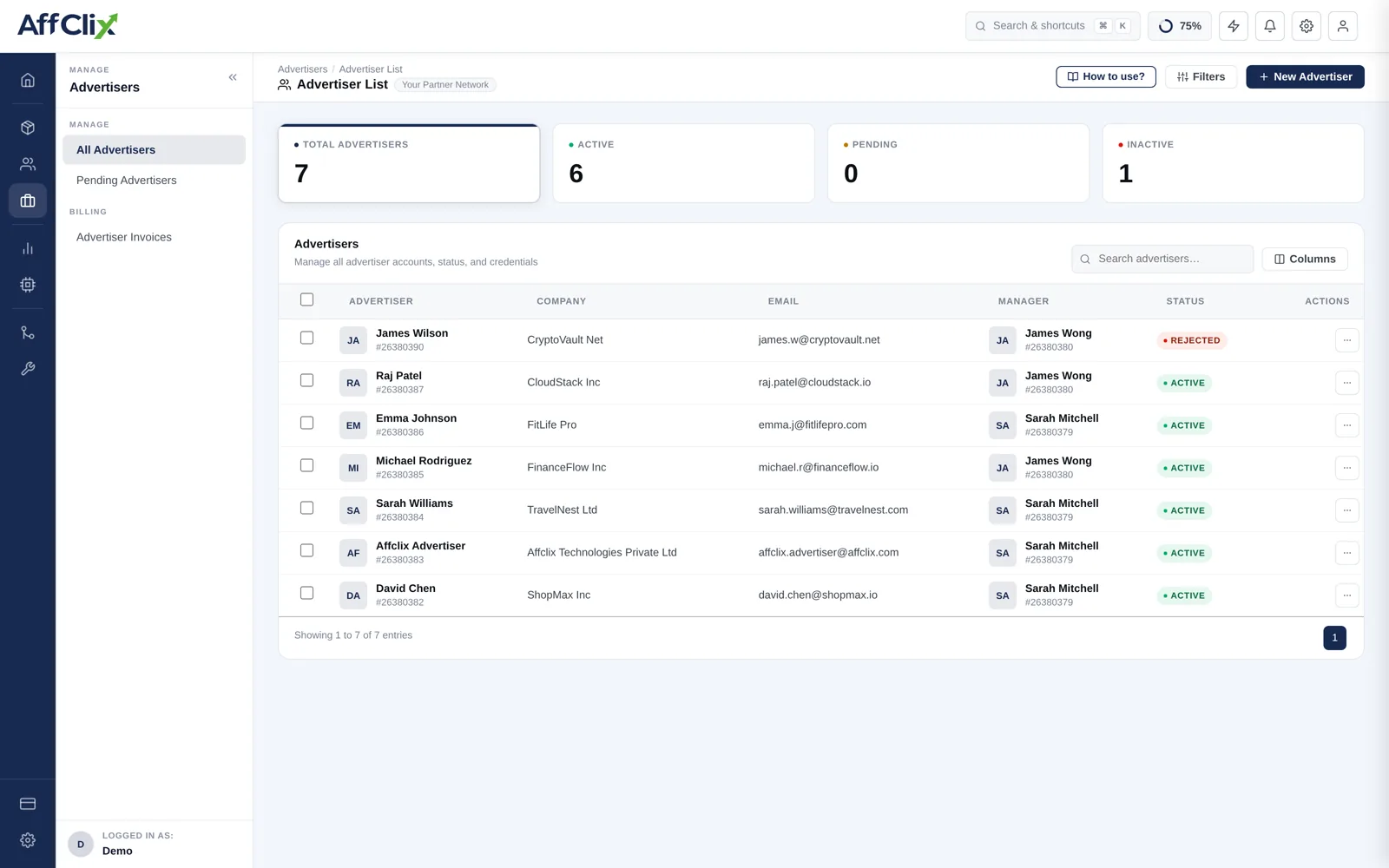
Advertisers → All Advertisers shows every client with company, contact details, account manager and status, with counters by status above.
Pending Requests
Advertisers who signed up through your public form arrive as Pending and appear under Advertisers → Pending Request. They cannot run campaigns until approved.
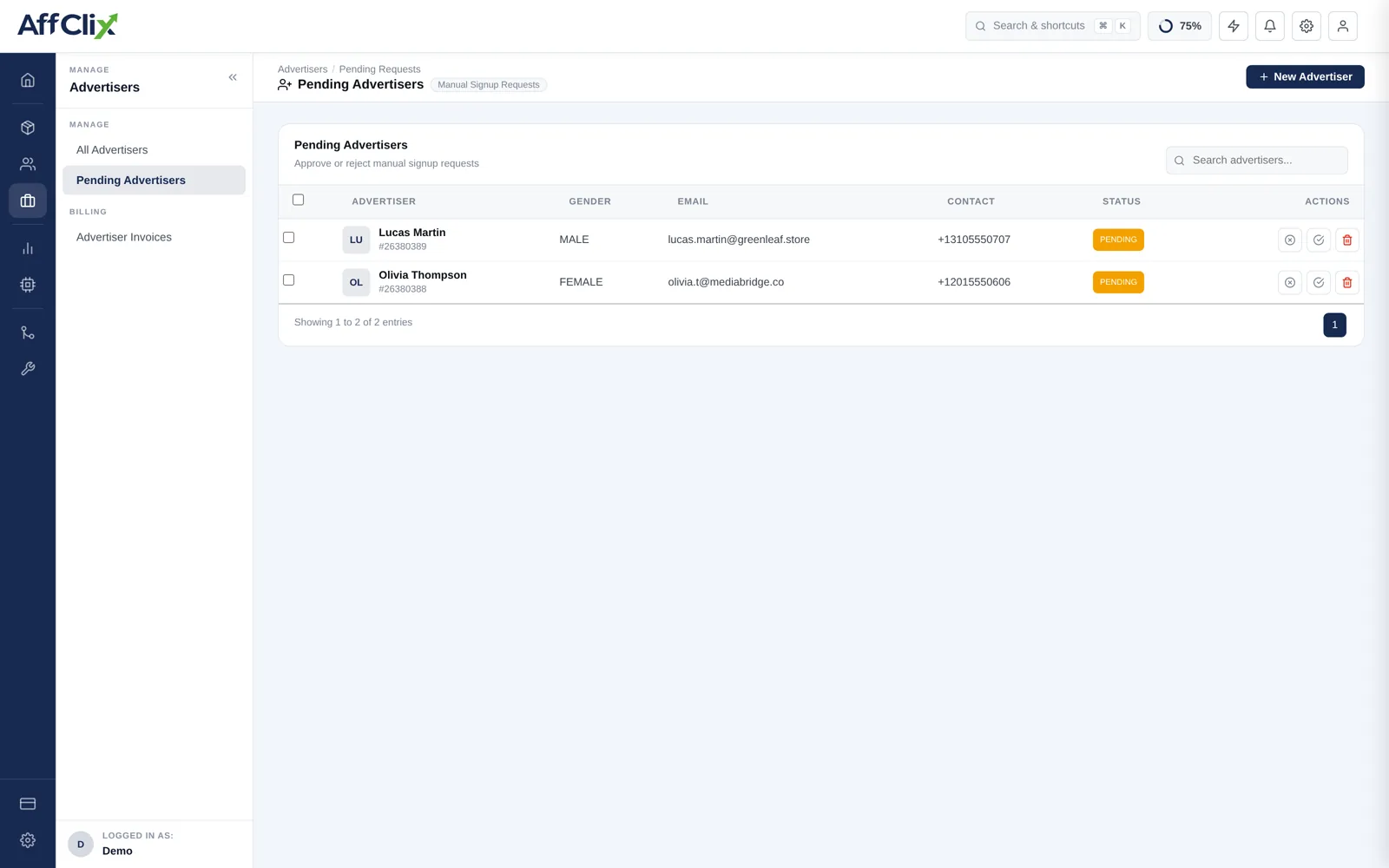
Before approving, confirm the basics: a real company, a working website, and a named contact who answers email.
Per-Advertiser Actions
| Action | What it does |
|---|---|
| Edit | Update contact, company, status or IP whitelist — see Update an Advertiser. |
| Change status | Active, Pending or Rejected. |
| Log in as | See their portal as they see it. Recorded in the audit trail. |
| View campaigns | Every campaign belonging to this advertiser. |
| Invoices | Generate and review invoices for accrued revenue. |
Account Health Checks
Most advertiser problems are integration problems, and they are visible in the data before the client complains.
| Signal | What it usually means |
|---|---|
| Clicks steady, conversions dropped to zero | Postbacks stopped. Check the IP whitelist first, then the Advertiser Postback Log. |
| Conversions arriving unattributed | The click ID is missing or in an unexpected parameter. |
| Duplicate conversions | No unique transaction or order ID, so retried postbacks are counted twice. |
| Their numbers do not match yours | Different timezone boundaries, or they count pending where you count approved. |
| Rising rejection rate | Traffic quality has changed, or they tightened validation without telling you. |
Compare your conversion count to the advertiser's on a fixed cadence using the External Campaign ID. A small drift found in month one is a configuration fix; the same drift found in month twelve is a credit note.
Offboarding
When a client relationship ends, order matters:
Set their campaigns to Ended
Configure Fallback first so affiliate traffic is redirected rather than wasted.
Let the validation window close
Conversions from the final days will still be arriving. Ending the integration early loses them.
Tell the affiliates
Partners running the campaign need notice to move their spend.
Raise the final invoice, then set the account to Rejected
Do it in that order — a deactivated account still needs its revenue settled.
Historical conversions, invoices and reports all resolve through the advertiser. Deactivate instead, so past reporting stays readable.