Overview
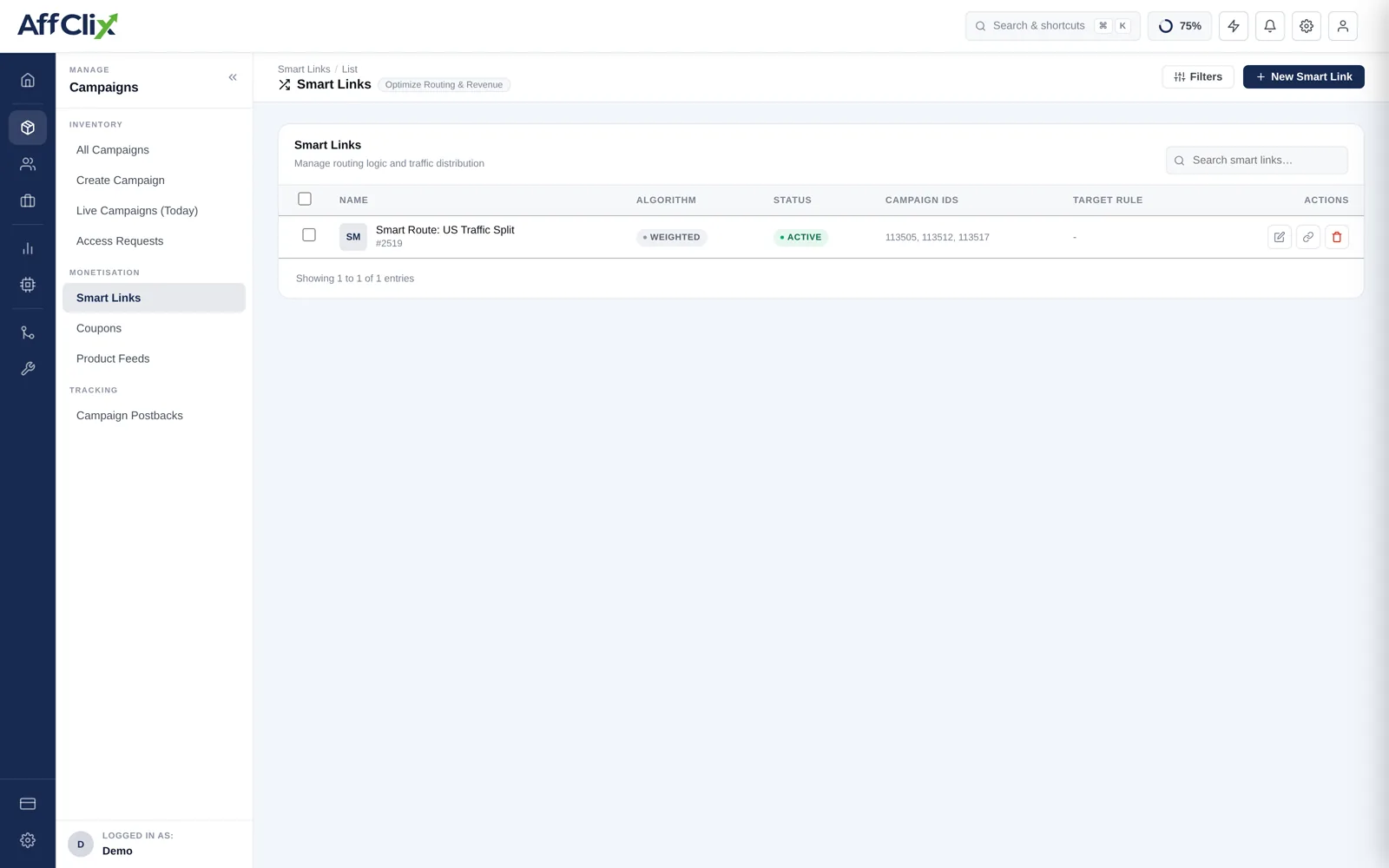
Instead of giving an affiliate a different URL for every campaign, a Smart Campaign (also called a Smart Link) provides one permanent URL. Behind the scenes, AffClix routes each click to one of the configured child campaigns based on the chosen algorithm — weighted split, priority fallover, performance optimisation, or round-robin rotation.
Common use cases:
- A/B test two advertiser offers with a 50/50 split and adjust weights as data comes in
- Run a primary campaign with automatic failover to a backup when the primary caps out
- Distribute traffic evenly across regional offers in a round-robin pattern
- Let AffClix auto-optimise allocation towards the highest-converting offer in real time
Because affiliates only ever hold the Smart Campaign URL, you can swap, add, or remove child campaigns and adjust weights at any time — no need to re-send links.
Routing Algorithms
Choose the algorithm that matches your traffic strategy when creating or editing a Smart Campaign.
| Algorithm | How It Routes | Best For |
|---|---|---|
| Weighted | Each child campaign is assigned a weight (e.g. 70 / 30). Traffic is distributed proportionally to those weights. | Controlled A/B splits, negotiated traffic guarantees per advertiser. |
| Priority | Child campaigns are ranked 1, 2, 3 … The highest-priority active campaign receives all traffic. Falls over to rank 2 only when rank 1 is paused, ended, or at cap. | Primary + backup campaign setup, high-value exclusive offers with guaranteed fallover. |
| Performance | AffClix monitors the conversion rate of each child campaign over a rolling window and automatically shifts more traffic to better-performing offers. | Hands-off optimisation when you have multiple comparable offers and want the algorithm to learn. |
| Rotation | Clicks are distributed in strict round-robin order: click 1 → campaign A, click 2 → campaign B, click 3 → campaign C, click 4 → campaign A, etc. | Even distribution, load balancing across identical offers, carrier testing. |
The Performance algorithm starts with equal weights and needs at least 200–300 clicks per child campaign to gather enough signal before it begins shifting allocations significantly.
Creating a Smart Campaign
Open the Smart Campaign Builder
Go to Campaigns → Smart Links and click Create.
Set a Name
Give the Smart Campaign a descriptive name (e.g. "US iGaming — Q3 Split"). This name appears in reports and logs.
Choose an Algorithm
Select Weighted, Priority, Performance, or Rotation from the Algorithm dropdown. You can change this later without affecting the affiliate's URL.
Add Child Campaigns
Click Add Campaign and search for existing campaigns to include. Each child must already exist as a regular campaign with its own tracking URL configured.
Set Weights or Priorities
For Weighted mode, enter a relative weight for each child (see Weight Normalisation below). For Priority mode, drag campaigns to set rank order.
Save & Share the Smart Link
Click Save. The Smart Campaign tracking URL is displayed on the detail page — share this URL with affiliates. It never changes.
If a child campaign is set to Paused or Ended, it is automatically excluded from routing. Make sure at least one child campaign is Active or the Smart Link will return no valid destination.
Managing Weights
Weights do not need to sum to 100. AffClix normalises them automatically. For example, if you set weights of 3, 1, and 1, traffic is distributed 60 %, 20 %, and 20 % respectively.
To change weights on a live Smart Campaign:
- Open the Smart Campaign → Edit.
- Update the weight values for each child campaign.
- Click Save — changes apply immediately to new incoming clicks.
Clicks already in-flight (within the current redirect sequence) are unaffected. The weight change only influences the next click that arrives at the Smart Link.
Because the affiliate's tracking URL never changes, you can rebalance traffic between advertisers instantly without any coordination with your affiliate team.
Smart Link Routing Logs
Every routing decision made by a Smart Campaign is logged in Reports → Smart Link Logs. The log shows:
| Column | Description |
|---|---|
| Timestamp | When the click arrived at the Smart Link. |
| Smart Campaign | The Smart Campaign that received the click. |
| Affiliate | Affiliate who generated the click. |
| Routed To | Which child campaign the click was forwarded to. |
| Algorithm | Routing algorithm in use at the time of the click. |
| Weight Used | Normalised weight applied to the selected child campaign. |
| Result | routed / no-destination (all children inactive). |
If you see no-destination entries in Smart Link Logs, it means no child campaign was active when that click arrived. Check that at least one child campaign is in Active status and has not hit its conversion or click cap.