What an Affiliate Is
An affiliate record is three things at once: a login to the affiliate portal, an identity that conversions are attributed to, and a ledger that accrues what you owe. Creating one issues all three.
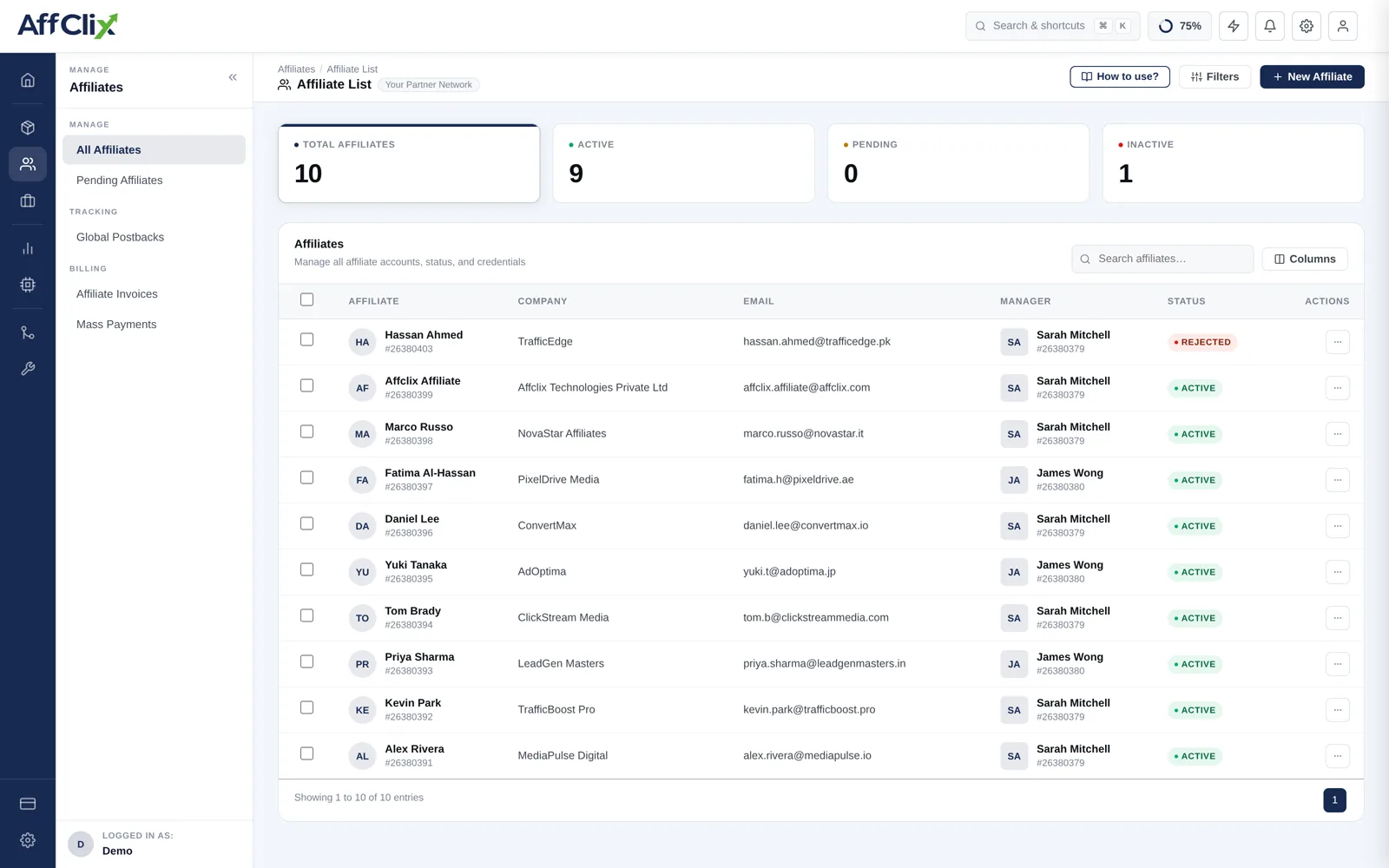
Onboarding Routes
There are three ways an affiliate account comes into existence, and they suit different situations.
| Route | Best for | Where |
|---|---|---|
| Create manually | Partners you recruited yourself and have already vetted. | Create an Affiliate |
| Self-signup | Inbound applications from your public signup page, reviewed before approval. | Access Requests / Pending list |
| Bulk import | Migrating an existing roster from another platform. | Bulk Import Affiliates |
An approved affiliate can run every Public campaign on your network immediately. Fraudulent conversions are far harder to claw back from an advertiser than they are to prevent by asking three questions about traffic sources first.
Account Lifecycle
| Status | Can log in | Traffic accepted |
|---|---|---|
| Active | Yes | Yes, on campaigns they are approved for. |
| Pending | Yes, limited | No. Awaiting your review. |
| Rejected | No | No. |
Account status is network-wide. Campaign-level access is separate and set per campaign — see Manage Campaign Affiliates. An Active affiliate still cannot run a Private campaign they have not been added to.
Day-to-Day Management
| Task | Article |
|---|---|
| Create an account and set portal credentials | Create an Affiliate |
| Search, filter, approve and suspend | Manage Affiliates |
| Change contact details or account manager | Update an Affiliate |
| Build and send a tracking link | Generate a Tracking URL |
| Grant access to a specific campaign | Manage Campaign Affiliates |
| Set a negotiated rate | Payout Rules |
The Account Manager field routes questions to a named person and scopes what your team can see. Team members can be restricted to only the affiliates assigned to them. To give a team member access to several affiliates at once, tick the rows and choose Team Access in the toolbar — see Team Members.
Getting Them Paid
Conversions accrue to an affiliate's balance at the payout rate that applied when each one was recorded. Settlement is a separate step from attribution — nothing is paid automatically.
- Approve conversions. Pending conversions are not payable until the advertiser confirms them.
- Generate the invoice for the period being settled.
- Pay through your chosen rail and mark the invoice paid so the balance clears.
Affiliates see their own accrued and settled balances in the portal, which removes most "when am I getting paid" emails before they are sent.