Why Cap
Advertisers buy a quantity, not an open tap. Deliver 400 leads against a 250-a-day agreement and you will usually be paid for 250 — the rest is traffic your affiliates spent money on and you cannot bill for. Capping turns that risk into a hard stop.
Three situations where a cap is not optional:
- The advertiser committed to a daily volume. Cap at that number, not above it.
- A single affiliate could swamp the campaign. Cap per affiliate so the budget is shared.
- The offer is new and unproven. Cap low, watch the quality, then raise it.
Creating a Rule
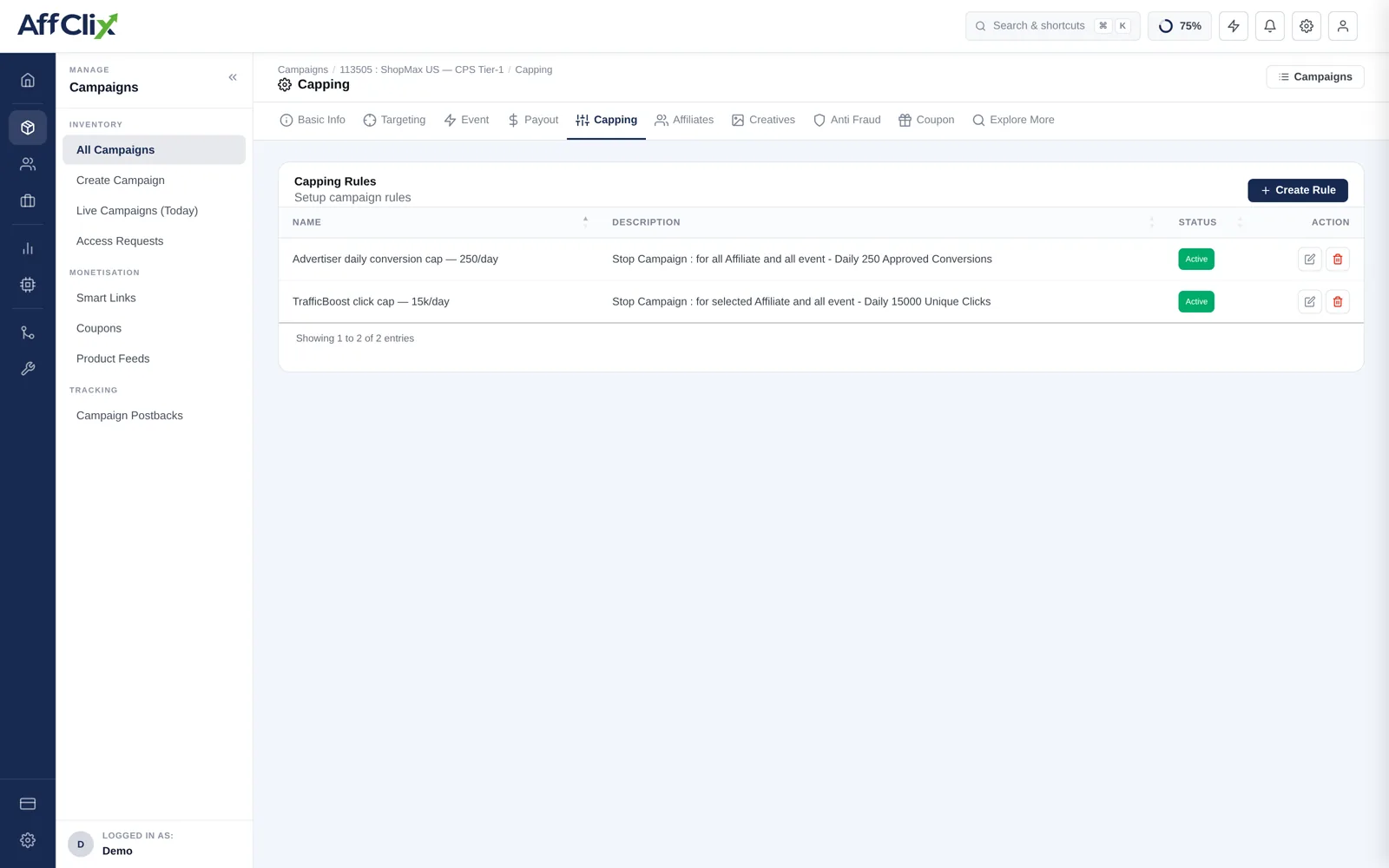
Open the campaign and select Capping
The tab lists every rule already attached, with its description and status.
Press Create Rule
Give it a name you will understand in six months — Advertiser daily conversion cap — 250/day beats cap 1.
Choose the metric and the period
What is being counted, and over what window it resets.
Choose the scope
All affiliates and all events, or narrow it to selected affiliates or a specific event.
Set the limit and save
The rule is live immediately and counts from the current period, not from zero.
Rule Anatomy
Every capping rule is the same four choices:
| Part | Options | Notes |
|---|---|---|
| Metric | Approved conversions, total conversions, clicks, unique clicks | Cap advertisers on approved conversions — pending ones may still be rejected. |
| Period | Hourly, Daily, Monthly | Resets at the boundary in the campaign timezone, not UTC. |
| Scope | All affiliates, or selected affiliates | A per-affiliate rule applies the limit to each affiliate individually. |
| Event | All events, or one specific event | Cap the event the advertiser is actually buying, not every signal you record. |
A unique-click cap counts one click per visitor per unique-click window. That window is set on the Anti Fraud tab and defaults to your network setting of 24 hours. If your numbers have to reconcile with an advertiser's own tracker, match their window first or the two counts will never agree.
Common Patterns
| Goal | Rule |
|---|---|
| Honour a 250/day advertiser commitment | Approved conversions · Daily · All affiliates · All events · 250 |
| Stop one affiliate consuming the whole cap | Approved conversions · Daily · Selected affiliates · 50 each |
| Limit spend on an unproven traffic source | Unique clicks · Daily · Selected affiliate · 15,000 |
| Smooth delivery across the day | Approved conversions · Hourly · All affiliates · 15 |
| Respect a monthly budget | Approved conversions · Monthly · All affiliates · 5,000 |
Daily and hourly rules combine well: a daily cap protects the commitment, an hourly cap stops the whole day being delivered in the first twenty minutes by a single burst.
What Happens at the Cap
Once the limit is reached, the campaign stops accepting the capped traffic for the rest of the period. Clicks arriving after that are not silently dropped — they are recorded as capped and, if you have configured Fallback on the Anti Fraud tab, redirected to another campaign instead of hitting a dead end.
An affiliate who does not know about a cap will keep buying traffic into a closed campaign and blame your tracking when it stops converting. Put the daily number in the campaign KPI field.
Monitoring
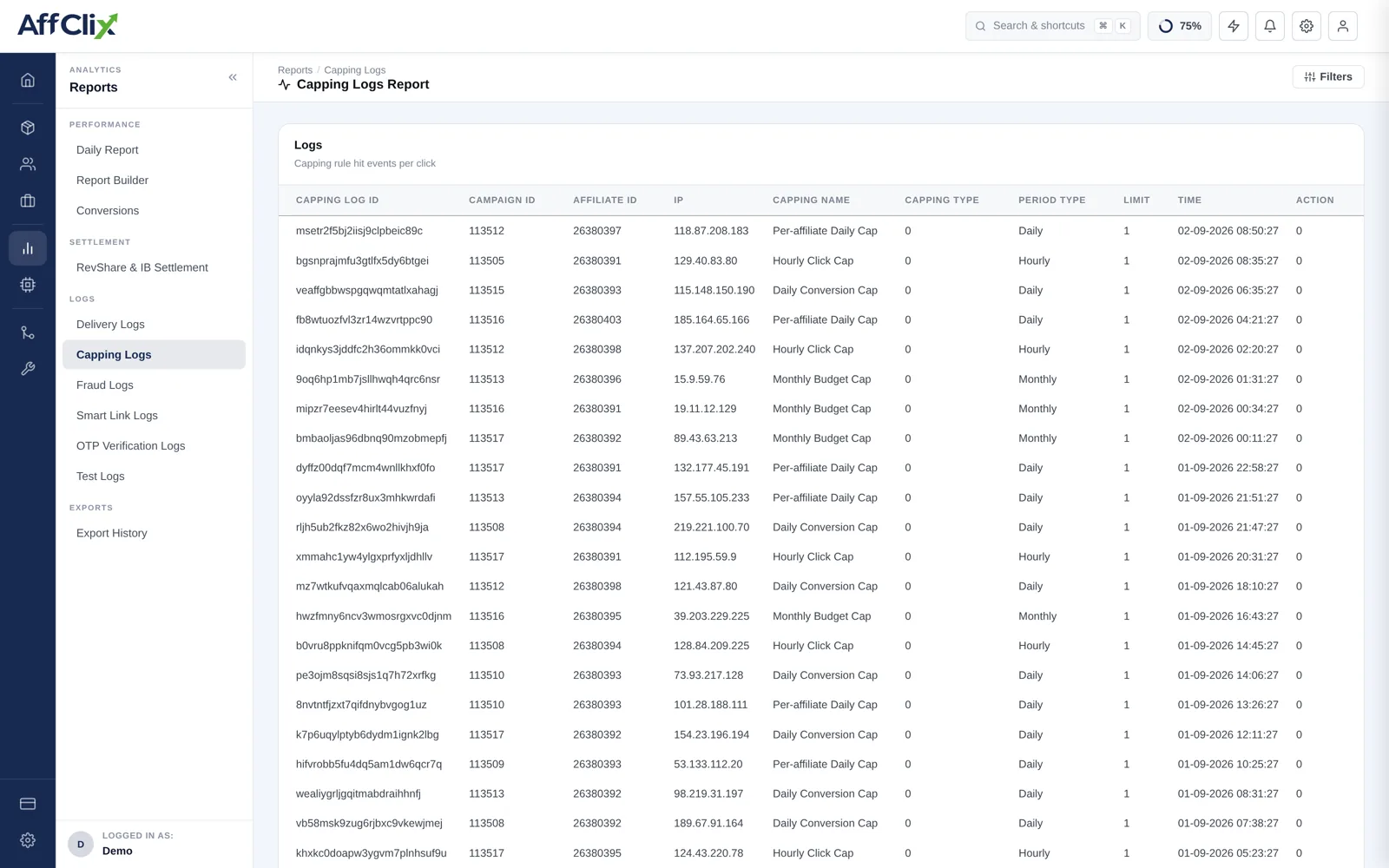
The Capping Log records every rule that fired, which campaign and affiliate it applied to, and when. Use it to answer the two questions that come up most:
- Why did this campaign stop delivering? Find the rule that hit and the time it hit.
- Is a cap set too low? A rule firing early every day is throttling revenue — raise it or renegotiate.