Overview
Revenue share campaigns allow advertisers to share a percentage of revenue per sale.
Revenue can be percentage-based or fixed.
Create CPS Campaign
01
Go to Campaigns
Click Create Campaign.
02
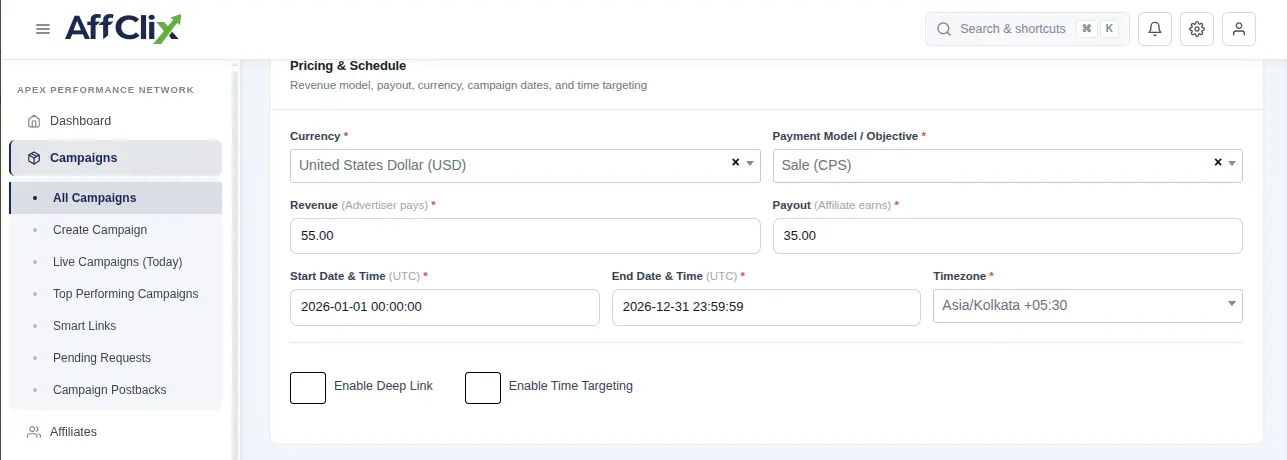
Fill Basic Details
Enter campaign details.
- Revenue: CPS percentage
- Payout: Affiliate percentage
03
Submit Campaign
Save configuration.
Important
CPS % is calculated based on total sale amount.
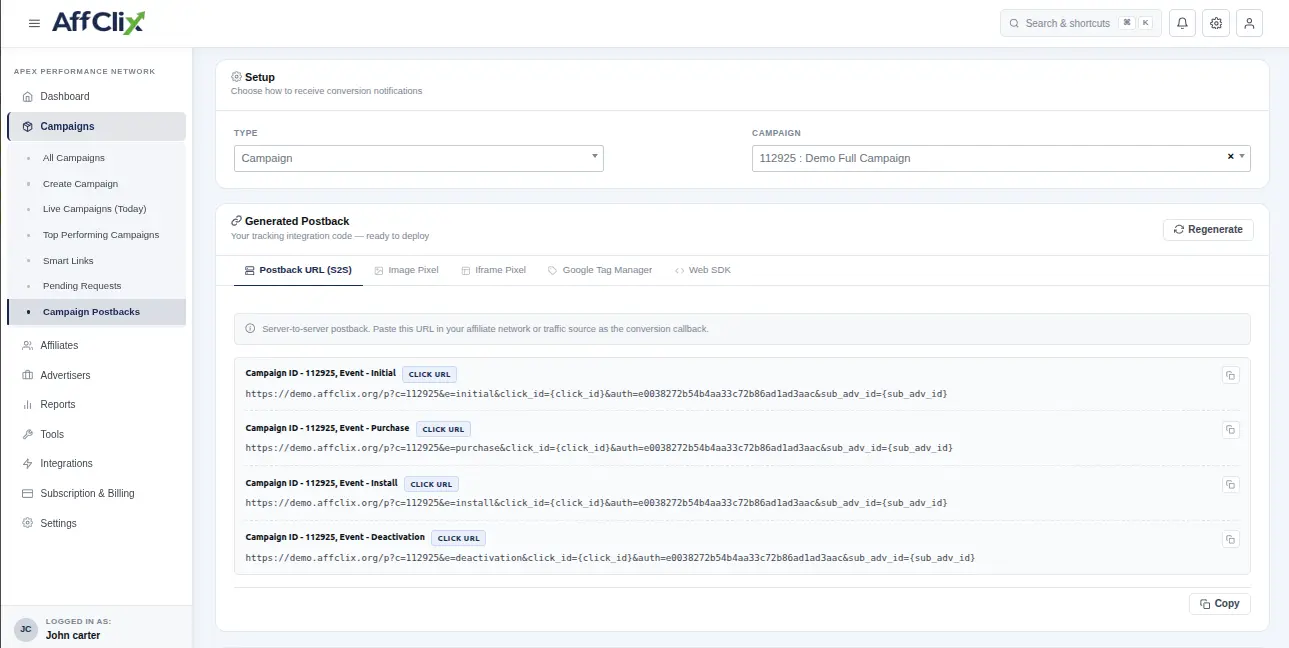
Get Postback URL
Go to Shortcuts → Postback to get URL.
Warning
Missing sale parameter will break calculation.
CPS Calculation Example
Example: Sale = 500 USD
| Field | Rate | Amount |
|---|---|---|
| Revenue | 65% | $325 |
| Payout | 35% | $175 |
| Margin | 30% | $150 |