What This Log Is For
Find it under Reports → Delivery Logs, on the Advertiser Postbacks tab. See Delivery Logs for how the three tabs fit together.
The Conversion Report shows conversions that were accepted. This log shows every postback that arrived — including the ones that were rejected and therefore never became conversions. The gap between the two is where integration bugs live.
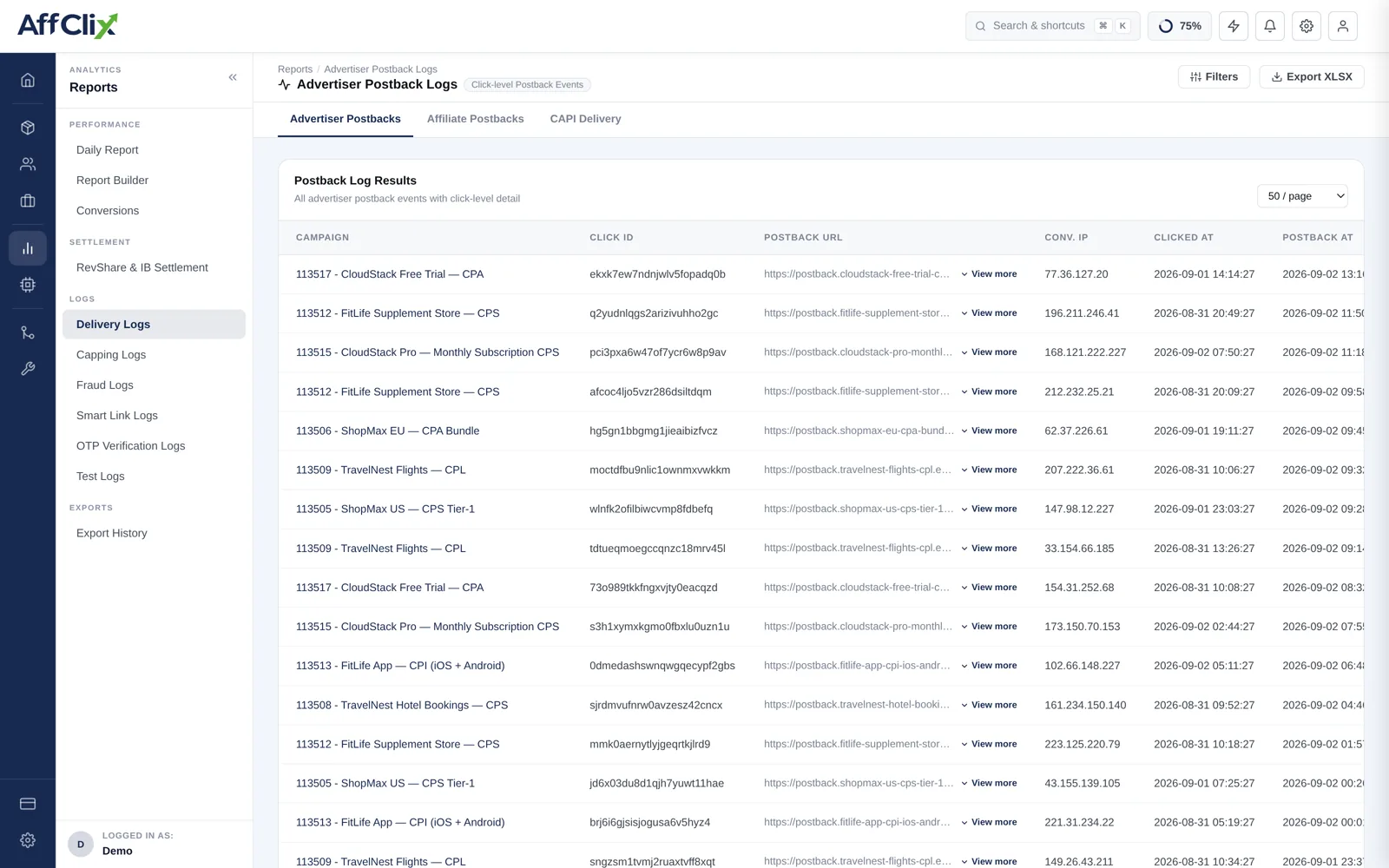
Most "the conversion did not come through" tickets are answered here in under a minute: either the postback is present and tells you why it failed, or it is absent and the problem is on the advertiser's side.
Column Reference
| Column | Meaning |
|---|---|
| Campaign | Which campaign the postback was aimed at. |
| Click ID | The click ID the advertiser returned. Blank here is the single most common integration fault. |
| Postback URL | The full request as received, with every parameter. This is the raw evidence. |
| Calling IP | The address the request came from. Compare against the advertiser's whitelist. |
| Blocked IP | Set when the request was rejected because the address was not whitelisted. |
| First seen | When the postback arrived. |
| Response | What was returned to the advertiser — accepted, or the reason it was not. |
Reading the Response
| Outcome | Cause | Fix |
|---|---|---|
| Accepted | The postback was valid and a conversion was recorded. | Nothing. It should be in the Conversion Report. |
| Click not found | The click ID does not match any recorded click. | Check the advertiser is returning the value we sent, unmodified and not truncated. |
| Missing click ID | No click ID in the request at all. | Confirm {click_id} is in the campaign URL and the advertiser is storing it. |
| IP blocked | The calling address is not on the advertiser's whitelist. | Add the address in Update an Advertiser. |
| Duplicate | A postback with this transaction or order ID was already processed. | Usually correct behaviour — it is a retry being deduplicated. |
| Outside validation window | The click is older than the campaign's conversion window allows. | Widen the window on the Event tab to match the advertiser's confirmation cycle. |
Diagnosing an Integration
Conversions stopped arriving. Work down this list:
Are postbacks arriving at all?
No rows for the period means the advertiser is not sending. That is their side — a deploy, a changed URL, or a disabled integration.
Are they arriving but being blocked on IP?
A populated Blocked IP column means they changed infrastructure. Add the new address.
Is the click ID present?
Blank or malformed means the campaign URL or their storage of the value is wrong.
Compare a working postback with a failing one
Both raw URLs are here. The difference between them is usually the whole answer.
Advertisers sometimes append emails, order details or IPs. Treat this log as sensitive, restrict who on your team can read it, and redact before pasting a row into a shared ticket.
Using It at Launch
Before opening traffic on a new advertiser integration, have them fire one test conversion and confirm here that: