Why Coupon Attribution
Some traffic never passes through a redirect. A creator reads a code on a podcast; a partner prints it on packaging; someone hears it from a friend. Click-based tracking cannot see any of that, and without coupon attribution those sales look organic and go unpaid.
Coupons also solve two problems click tracking struggles with:
- Cross-device journeys. Heard on mobile, purchased on desktop, weeks later.
- Privacy restrictions. Blocked third-party cookies and stripped referrers do not affect a typed code.
Most partners will use both. Where a conversion arrives with both a click ID and a coupon, the click ID is the stronger signal — it identifies a specific click, while a code identifies only a partner.
Assigning a Coupon
Create the code in the advertiser's store first
AffClix records the attribution; the discount itself lives in the advertiser's commerce platform. A code that exists here but not there will fail at checkout.
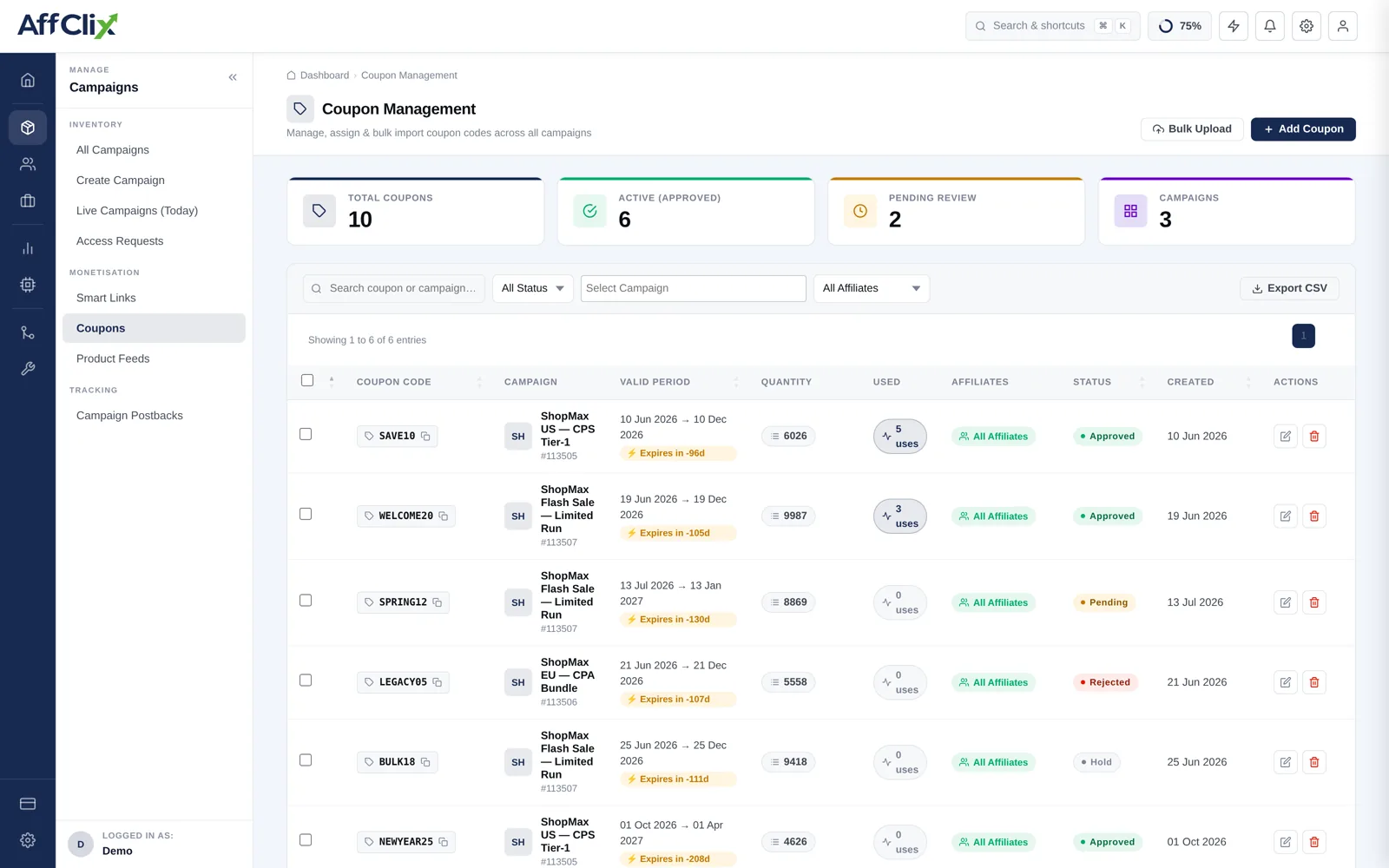
Open the campaign and select Coupon
The tab lists codes already attached to this campaign.
Add the code and assign it to one affiliate
Codes must be unique per affiliate. A shared code cannot be attributed to anyone in particular.
Set validity dates if the promotion is time-boxed
Outside the window the code no longer attributes, matching the store's own expiry.
Passing the Code Back
Attribution only works if the advertiser tells you which code was used. The advertiser postback carries a coupon parameter for exactly this.
https://track.yournetwork.com/postback?coupon=CREATOR15&order_id=A-10024&sale=89.90¤cy=USD&status=approved Note there is no click_id in that example — that is the point. The coupon is the attribution key. The order_id still matters: it is what deduplicates a postback the advertiser sends twice.
Not every commerce platform exposes the discount code in its postback or webhook payload. Verify with a test order first — a coupon programme that cannot report codes pays nobody.
Coupon Reporting
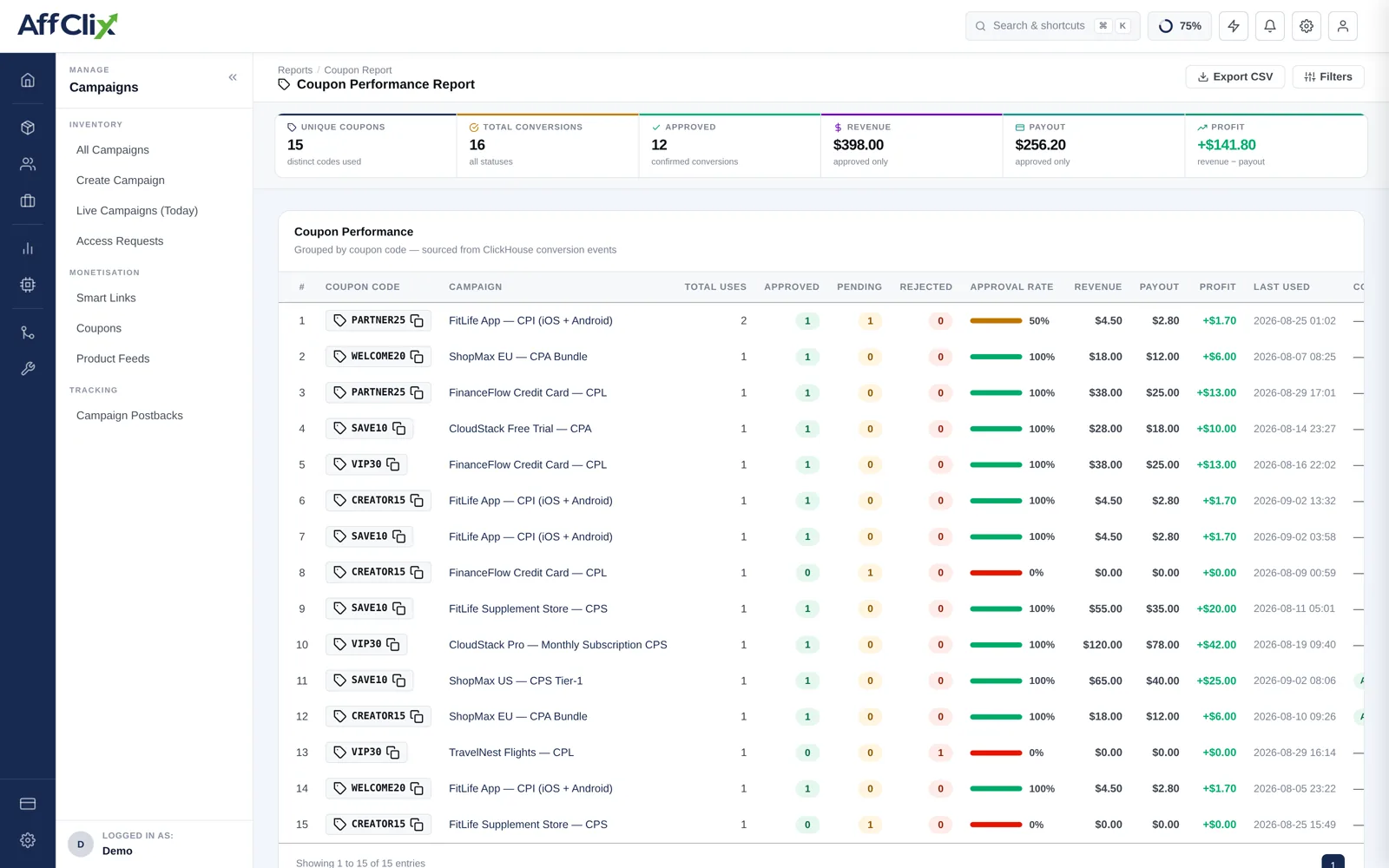
The Coupon Performance Report shows usage per code: totals, approved and pending counts, revenue, payout and profit, with the campaign and affiliate each code belongs to.
Two things to watch:
- A code with usage far above its partner's reach. Codes leak onto deal sites, where they cannibalise sales you would have made anyway.
- A code with no usage at all. Usually means the advertiser is not returning the coupon on the postback, not that nobody used it.