Creating the Account
Go to Affiliates → Create New.
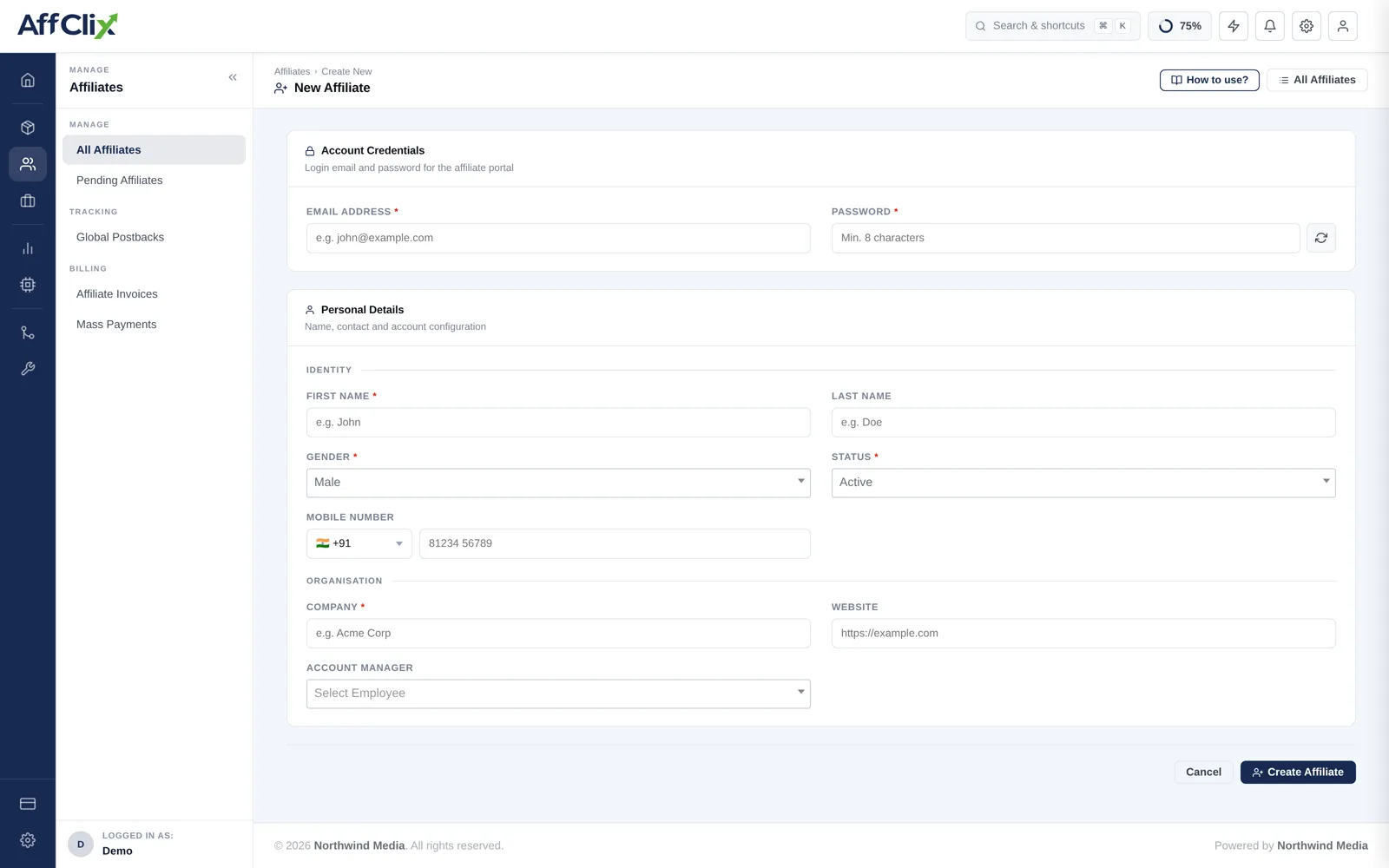
Account Credentials
| Field | Required | Notes |
|---|---|---|
| Email Address | Required | The portal login and the destination for every notification. Must be unique on your network. |
| Password | Required | Initial portal password. Send it over a channel separate from the email address itself. |
Payment notifications, campaign approvals and password resets all go here, and changing it later is an account-security operation rather than a quick edit. A shared team inbox is fine; a personal address that will leave with one employee is not.
Personal Details
| Field | Notes |
|---|---|
| First Name / Last Name | The person you deal with. Shown across the admin panel and on invoices. |
| Gender | Optional profile field. |
| Status | Active, Pending or Rejected. Active grants immediate access to every Public campaign. |
| Mobile Number | With country code. Used for account recovery and urgent contact. |
Pending lets you set the account up without opening your campaign inventory. Switch to Active once you are satisfied with their traffic sources.
Organisation
| Field | Notes |
|---|---|
| Company | The legal entity you contract and invoice. Not always the same as the person's name. |
| Website | Their main property. Worth actually opening before approving. |
| Account Manager | The team member who owns the relationship. Also scopes which team members can see this affiliate. |
After Creating
Grant campaign access
Public campaigns are available immediately. For Private or approval-gated campaigns, add them on the campaign's Affiliates tab.
Apply any negotiated rate
A rate agreed with this partner belongs in Payout Rules, conditioned on their affiliate ID.
Send their tracking link
Build it in the campaign's tracking URL builder — see Generate a Tracking URL.
Point them at their portal
Reports, creatives and their balance all live there — see Affiliate Portal: Getting Started.
Vetting Questions
Before switching an account to Active, get answers to these. Vague answers are themselves an answer.