Opening the Record
From Advertisers → All Advertisers, use the row action to edit.
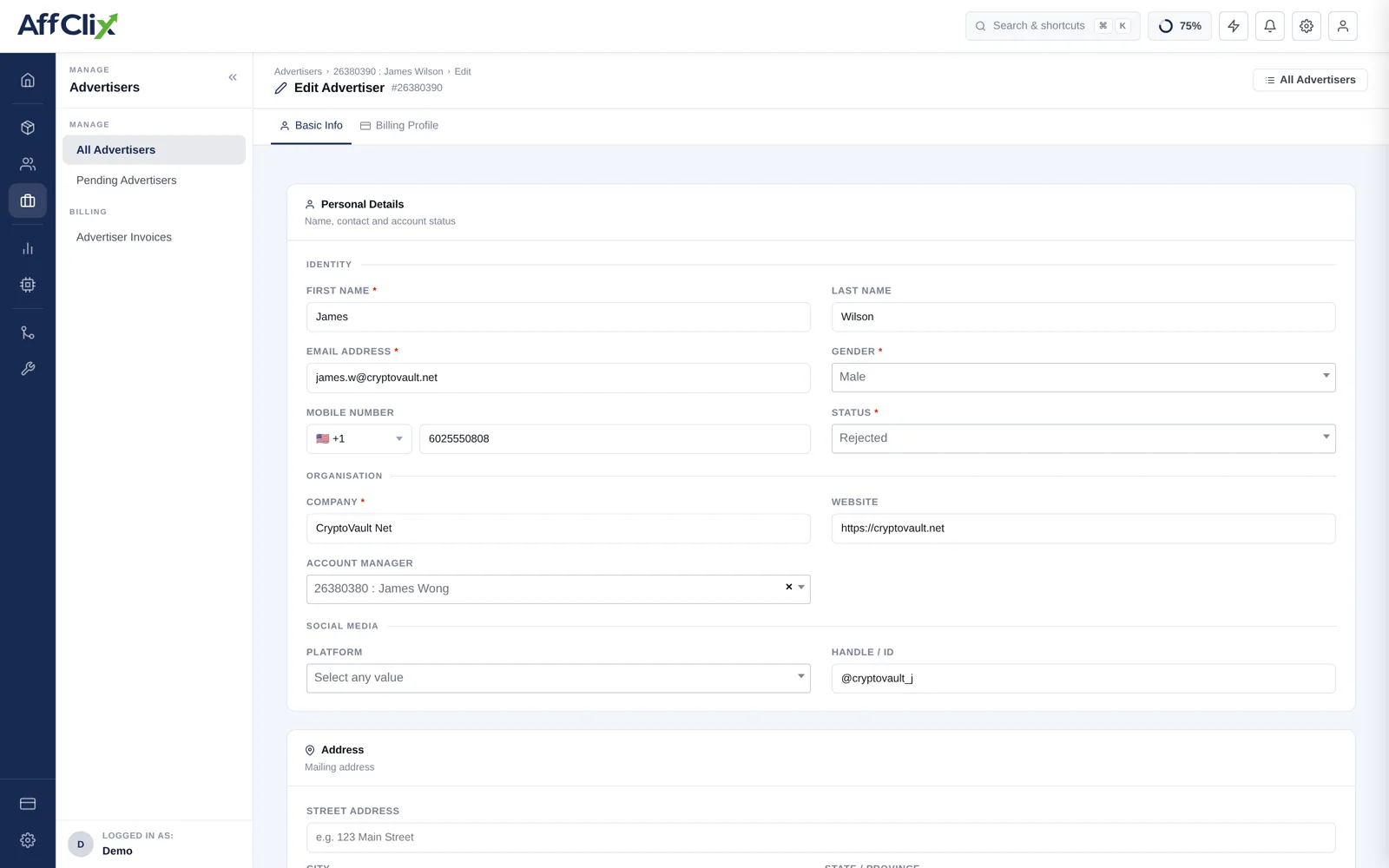
Editable Fields
| Field | Notes |
|---|---|
| Email Address | Portal login and notification destination. |
| Password | Reset when the client is locked out. |
| First / Last Name | Your contact at the client. |
| Status | Active, Pending or Rejected. |
| Mobile Number | With country code. |
| Company | The invoicing entity. |
| Website | Their main property. |
| Account Manager | Relationship owner on your team. Only the account owner can reassign it, and only to an active team member. A team member editing other fields never changes the manager. |
| Whitelist IP Addresses | Comma-separated list of servers allowed to fire postbacks. |
Changing the IP Whitelist
This is the field most likely to break a working integration, and the failure is silent — the advertiser's server gets a rejection it probably does not surface to anyone.
Add before you remove
When an advertiser migrates infrastructure, add the new addresses while the old ones are still listed, confirm conversions are arriving from the new range in the Advertiser Postback Log, and only then remove the old entries.
Blank means unrestricted
Clearing the field does not disable postbacks — it accepts them from any address. If you are trying to stop an advertiser sending conversions, change the account status instead.
What Each Change Affects
| Change | Effect |
|---|---|
| Status to Rejected | Their campaigns stop accepting traffic. Existing conversions and invoices are unaffected. |
| IP whitelist edited | Applies to the next postback. Addresses not listed are rejected silently. |
| Email address | Changes the portal login and where notifications are delivered. |
| Company name | Applies to invoices raised from now on, not to those already issued. |
| Account manager | May change which team members can see this advertiser, if their access is scoped. |
All changes are written to the audit trail with the user who made them and a timestamp.